6 posts tagged with "area:people"

People and contacts

View All Tags

People: New Read Permissions for More Control

New global permissions let you control access to the People section more precisely:

  • Read people — Controls whether a user can see the People section. If disabled, the section is completely hidden.
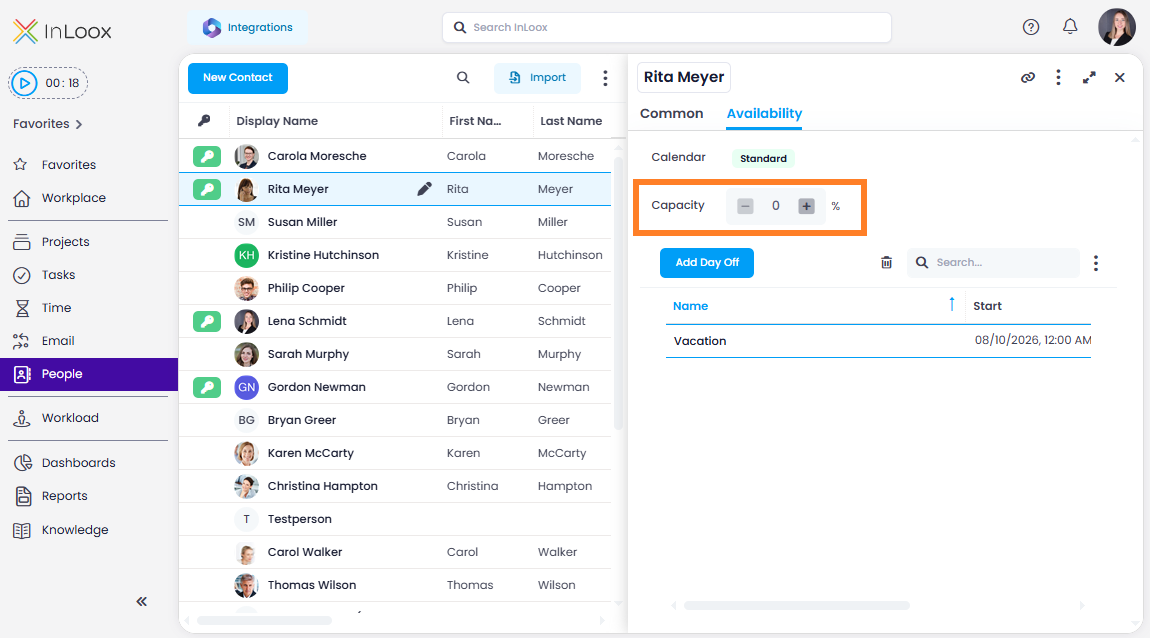
  • Edit people — Controls whether a user can edit contact entries. Without this permission, users can only manage their own availability.
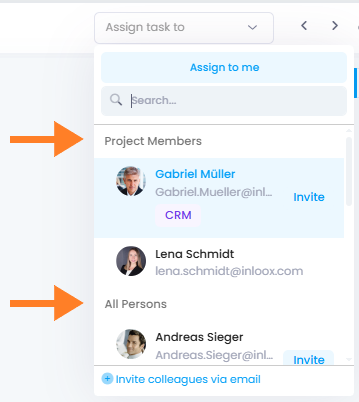
  • All people available in contact picker — Controls whether a user can see all contacts when adding project members.

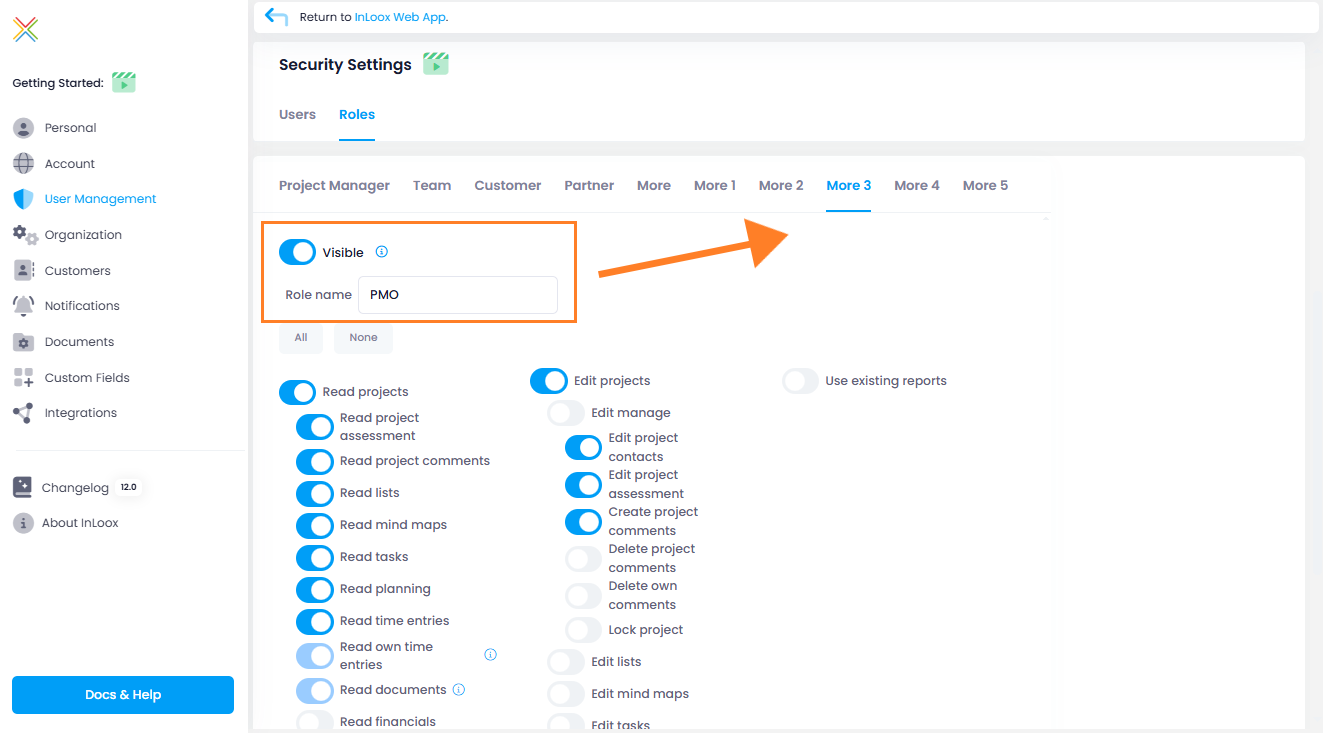
These permissions are configured in the Account Settings under User Management. Administrator rights are required.

Help article: People & Contacts

Security: Require Two-Factor Authentication for All Users

In addition to the option of requiring login via Microsoft 365, an alternative security option is now available for organizations without Microsoft login: mandatory two-factor authentication (2FA) for the entire InLoox account.

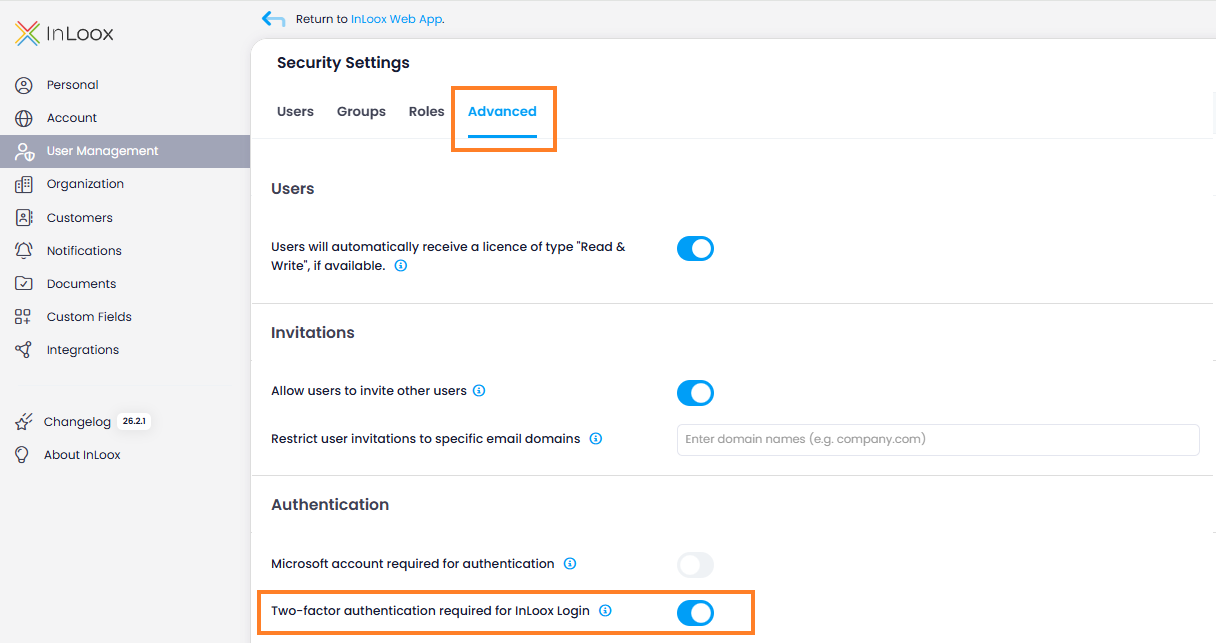
Administrators can require that only users with 2FA enabled are allowed to log in to InLoox. The setting is located in the Account Settings under User Management > Advanced. Activate the toggle Two-factor authentication required for InLoox Login.

Two-factor authentication setting in User Management — Advanced tab

For two-factor authentication, users can choose between a verification code via email or an authenticator app. Users who sign in via Microsoft 365 are automatically exempt from this requirement.

If a user without 2FA attempts to log in, access is blocked and instructions for setting up two-factor authentication are displayed.

Excel and CSV Import for People and Contacts

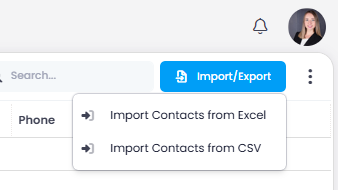
You can now easily import contacts into InLoox using Excel or CSV files. After uploading your file, a matching assistant automatically analyzes the columns and suggests how they map to InLoox fields. The only required field is the email address — any additional information such as name, department, or phone number is optional and can be flexibly assigned.

This feature is especially useful when transferring contacts from external systems such as CRM tools or other data sources.

Import contacts from Excel and CSV

Invite Users from Microsoft 365 Contacts

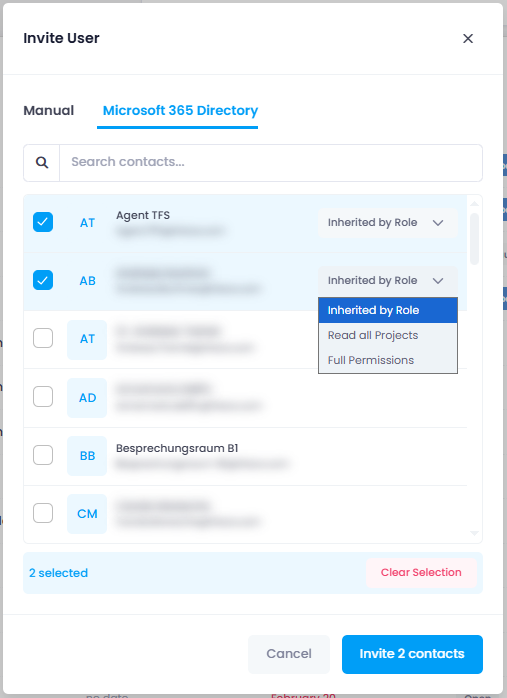
Inviting new users is now much more convenient: in the invitation dialog, you can directly access your Microsoft 365 directory and invite people from there. This allows you to add team members much faster.

Prerequisites

The required user permissions must be enabled in the Integration Center. Basic user information includes name and email address, while full user information provides additional profile details such as department or job title.

Invite users from the Microsoft 365 directory

Quick Grouping for Time and People Lists

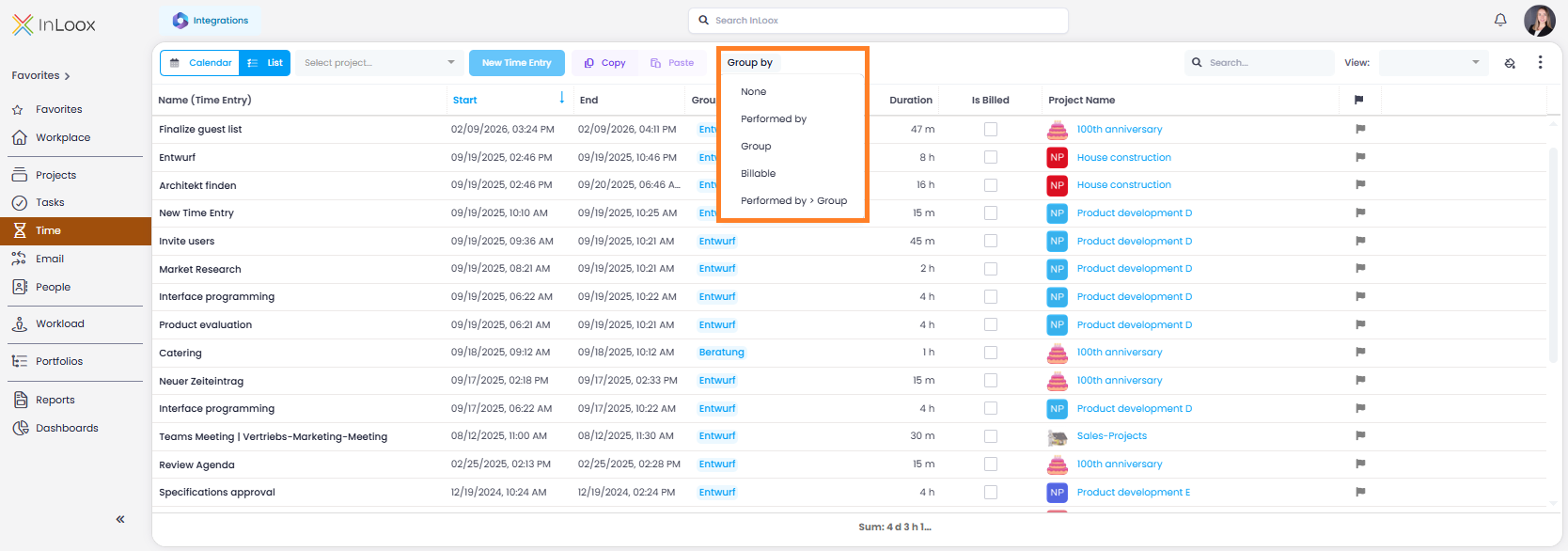
The views for people and time entries now include quick grouping options, allowing you to structure and analyze your data with just a few clicks:

People list:

  • Company
  • Department
  • Location
  • Company > Department

Time list:

  • Performed by
  • Group
  • Billable
  • Performed by > Group

These predefined quick groupings provide a fast and convenient way to get started. You can still use the Advanced Mode to group by any columns and create custom analyses.

Quick grouping in the time tracking view

Extended Permissions: People, Tasks and Comments

With InLoox 26.1, permissions have been expanded and further refined. The following new rights have been introduced:

  • Edit people: Editing contacts is now a separate permission. Administrators receive this right by default, but it can be specifically revoked or assigned to other users as needed.
  • Add task comments: Controls who is allowed to create comments on tasks.
  • Delete task comments: Defines who is permitted to remove task comments.
  • Delete own task comments: Allows users to delete only the comments they have created themselves.
  • Delete tasks: Determines who is generally allowed to delete tasks.
  • Delete own tasks: Allows users to delete tasks for which they are assigned as the responsible resource.

These additions enable even more precise control over access rights and responsibilities.