Multi-Select in Kanban Board and Time Calendar
You can now select multiple items for bulk editing in two additional views:
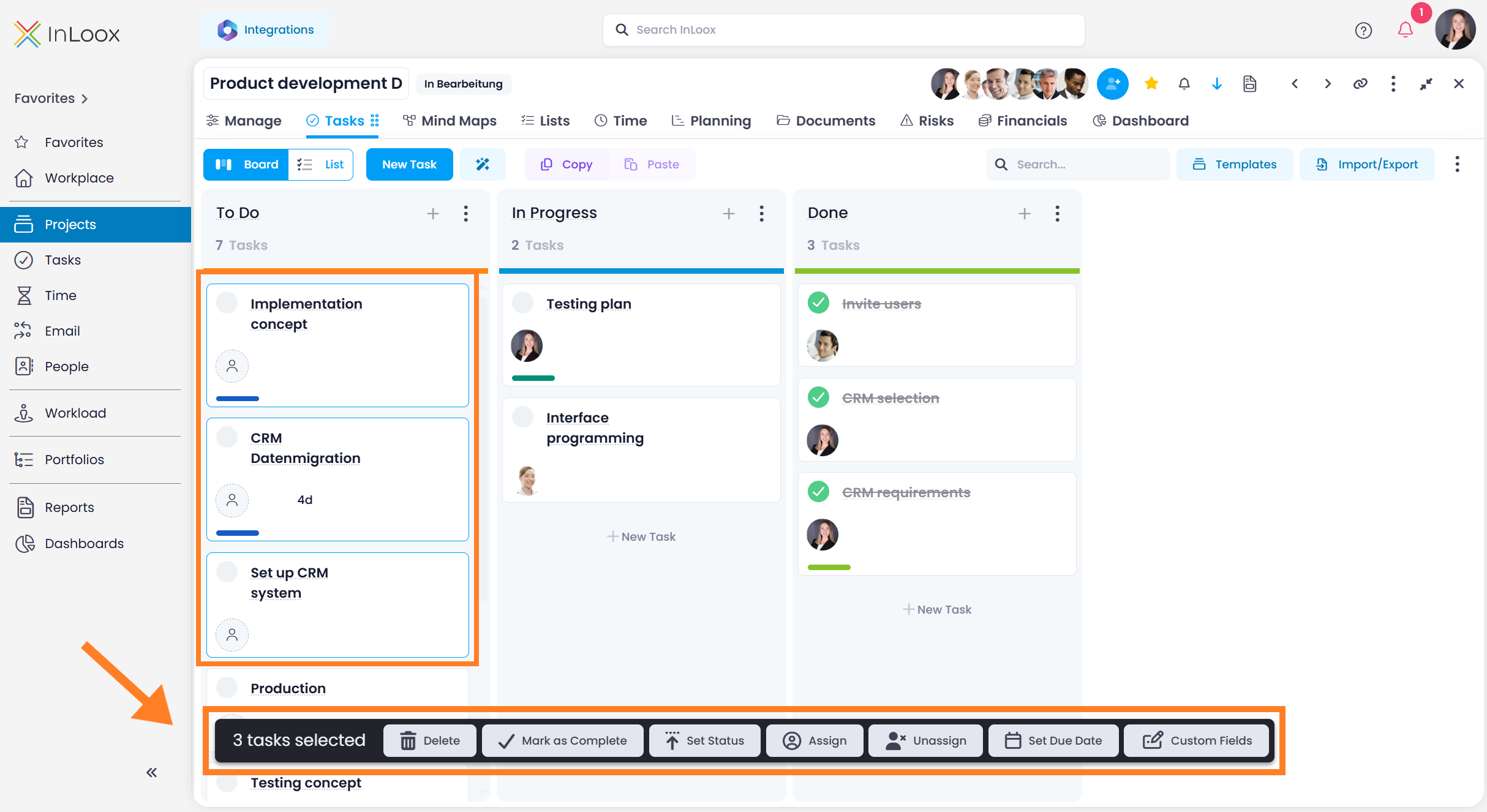
- Kanban board: Hold Ctrl or Shift and click on task cards to select them. Selected cards are highlighted with a blue border. A command bar at the bottom of the screen shows available actions such as delete, mark as complete, set status, assign a resource, or edit custom fields.
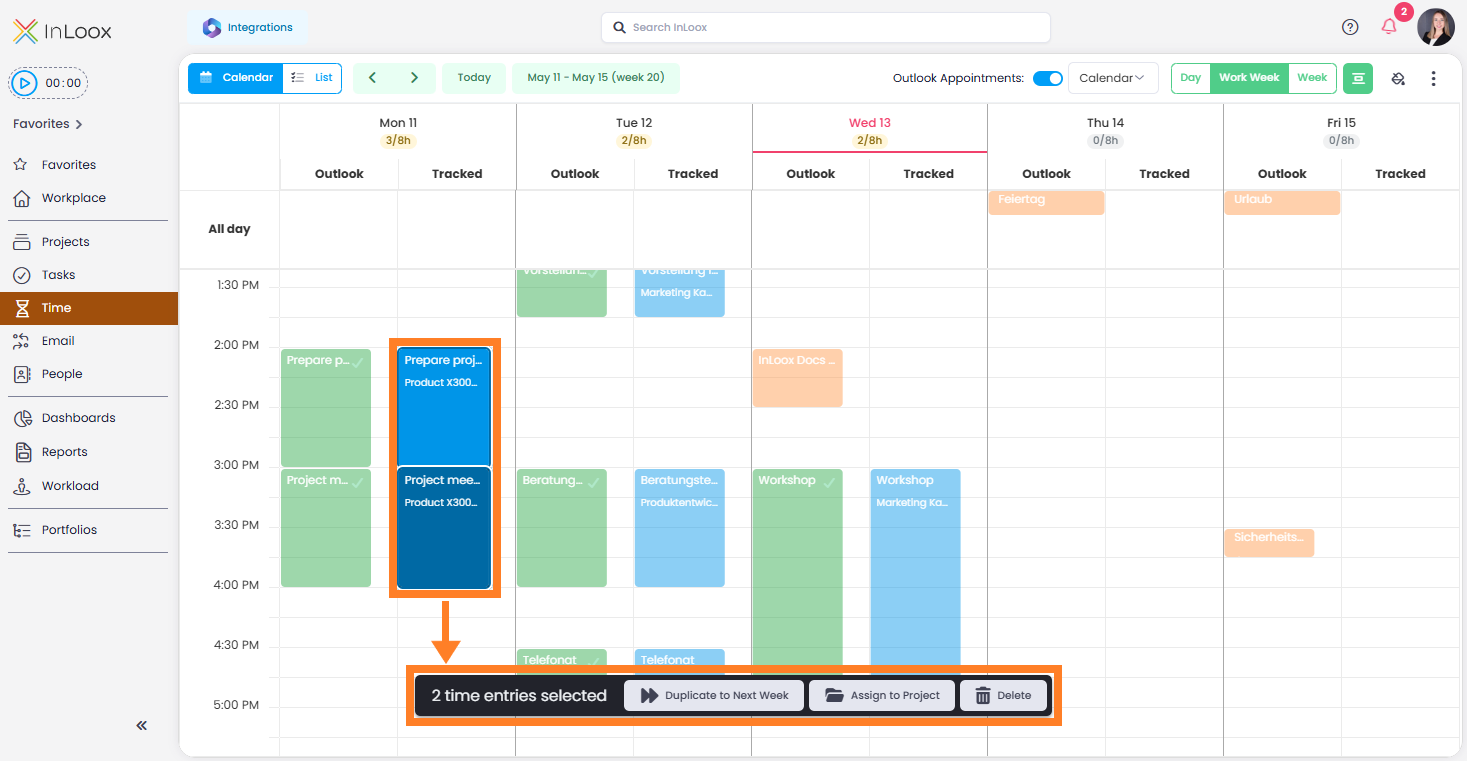
- Time tracking calendar: Select multiple time entries in the calendar view to duplicate them to the next week, track them on a project, or delete them.
Help article: Multi-Editing of InLoox Elements