Sync Project Tasks with Outlook Calendar
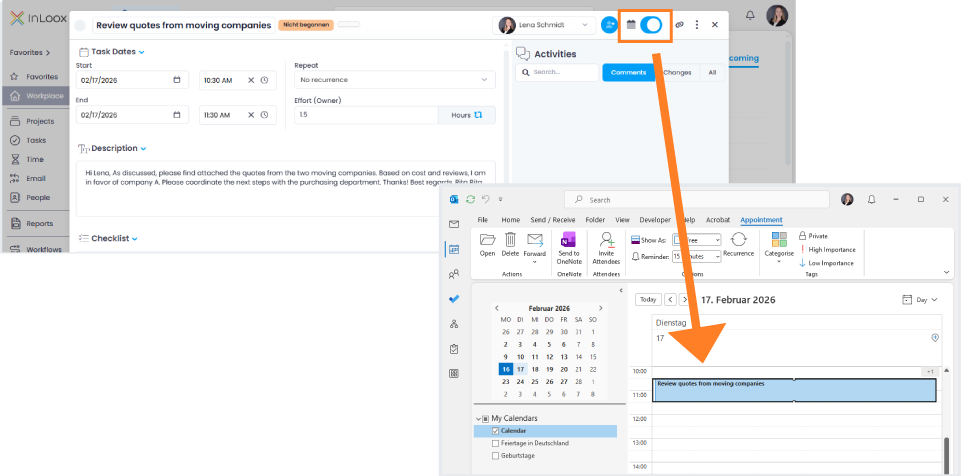
Project tasks can now be directly linked to your Microsoft Outlook calendar. After enabling the required permission in the Integration Center, simply toggle a switch within the task to add it to your calendar.
Synchronization Options
Two new options are available in the Integration Center:
- Changes to InLoox tasks update calendar entries
- Changes to calendar entries update the InLoox task
When both permissions are enabled, bidirectional synchronization is possible. Changes to date, time, or duration can be made either in InLoox or directly in the Outlook calendar, ensuring the task always remains up to date and consistent.
Help articles: Integrations: Calendar | Synchronize Project Tasks with Outlook Calendar