Invite Users from Microsoft 365 Contacts
Inviting new users is now much more convenient: in the invitation dialog, you can directly access your Microsoft 365 directory and invite people from there. This allows you to add team members much faster.
Prerequisites
The required user permissions must be enabled in the Integration Center. Basic user information includes name and email address, while full user information provides additional profile details such as department or job title.
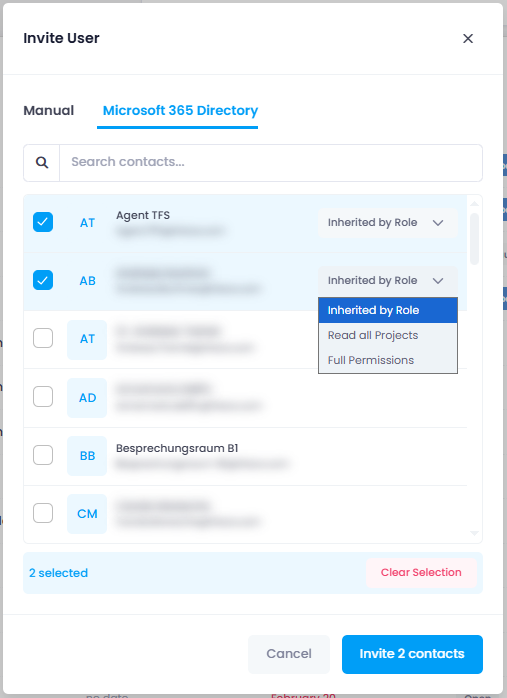
Help article: Invite People to InLoox | Integrations: Users