Redesigned Email Tracking
With version 26.1, the inbox in the "Track" section has been fundamentally redesigned and is now called Emails. The core idea remains the same: emails and attachments can be assigned to projects, and tasks can be created using the AI Assistant.
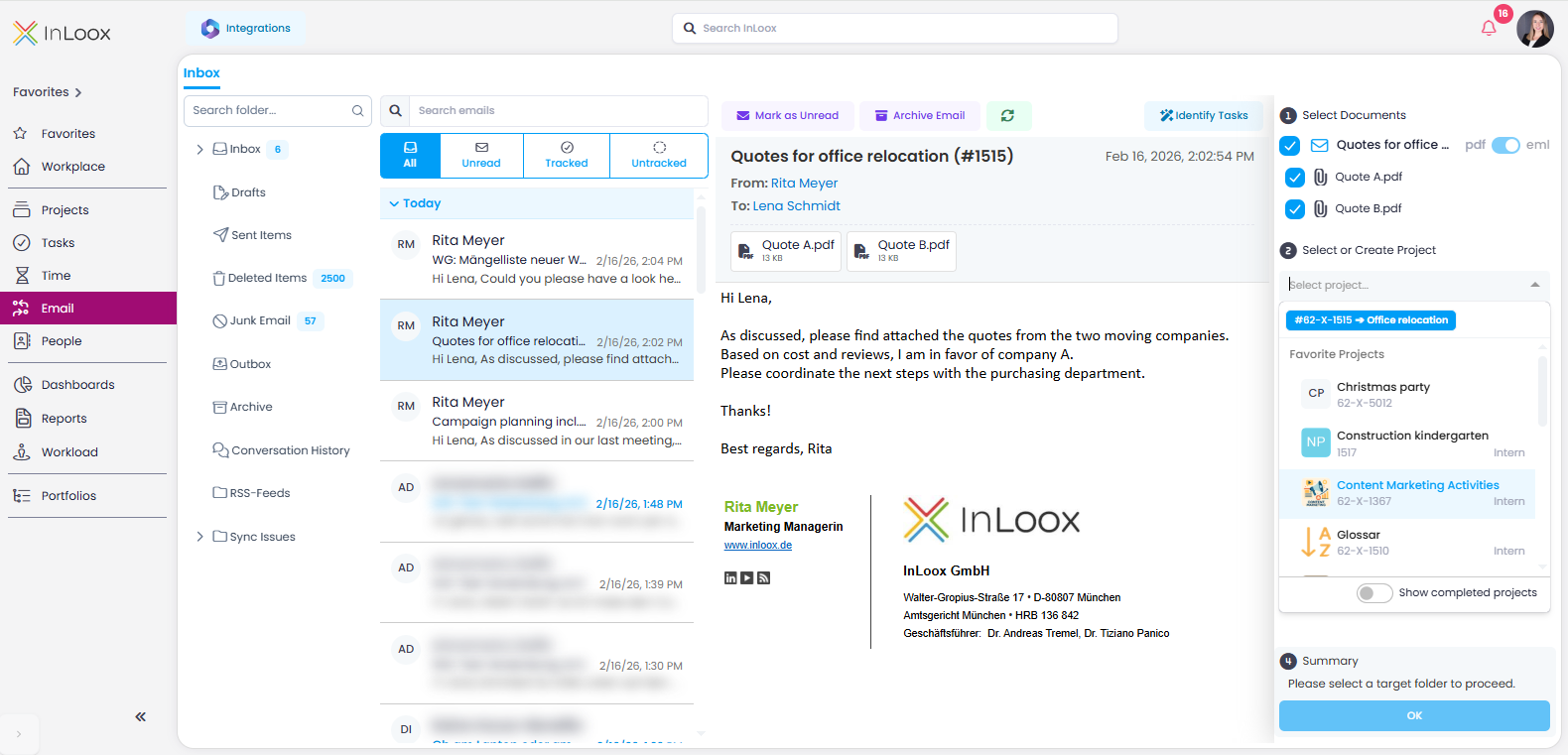
The redesign brings numerous improvements and new features:
- Unified tracking process: Emails and attachments can now be tracked just as easily as in the Outlook add-in: select, choose project and project folder, save — done.
- Automatic project suggestions: If the email subject contains an InLoox project number (starting with #), matching projects are automatically suggested when filing.
- Duplicate check: You can instantly see if emails or attachments have already been tracked, including their project assignment.
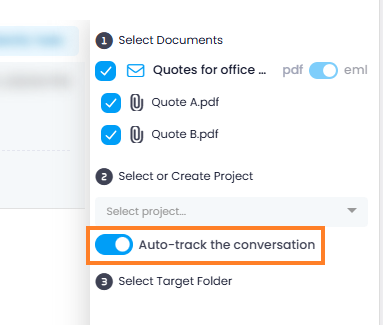
- Automatic email tracking: When emails are filed in a project folder, all subsequent replies within the same conversation can be automatically stored in the same project folder. This requires enabling "Automatically transfer emails from the same conversation to the project" in the Integration Center.
- Improved previews: Reliable display of email content and attachments, regardless of format.
- Outlook folder structure, search & filters: Work within your familiar Outlook folder structure, search for emails, or filter by All, Unread, Tracked, or Not tracked.
Help article: Email Tracking | Integrations: Emails