Filter Designer for custom fields: Easily control visibility
Custom fields can already be shown or hidden based on rules to support specific use cases. With the new Filter Designer, you now have significantly more options to define complex conditions and combinations.
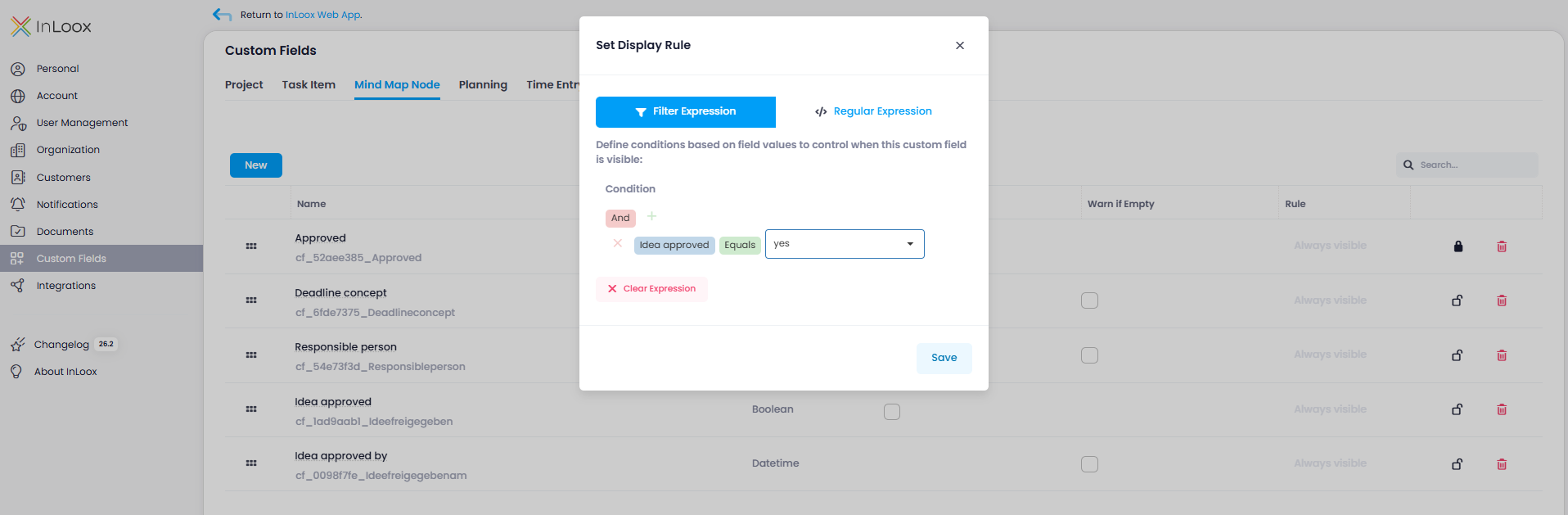
A particularly useful enhancement: custom fields can now be shown or hidden depending on the values of other custom fields. This allows you to control field visibility more precisely and create cleaner, more context-aware input forms.
Example: You have two custom fields, "Idea approved" and "Approved by." The field "Approved by" can be displayed depending on the value of the other field, for example, only if "Idea approved" is set to "Yes."
Help article: Custom Fields
Please note: Custom fields are not available in the InLoox Professional Edition.