Security: Require Two-Factor Authentication for All Users
In addition to the option of requiring login via Microsoft 365, an alternative security option is now available for organizations without Microsoft login: mandatory two-factor authentication (2FA) for the entire InLoox account.
Administrators can require that only users with 2FA enabled are allowed to log in to InLoox. The setting is located in the Account Settings under User Management > Advanced. Activate the toggle Two-factor authentication required for InLoox Login.
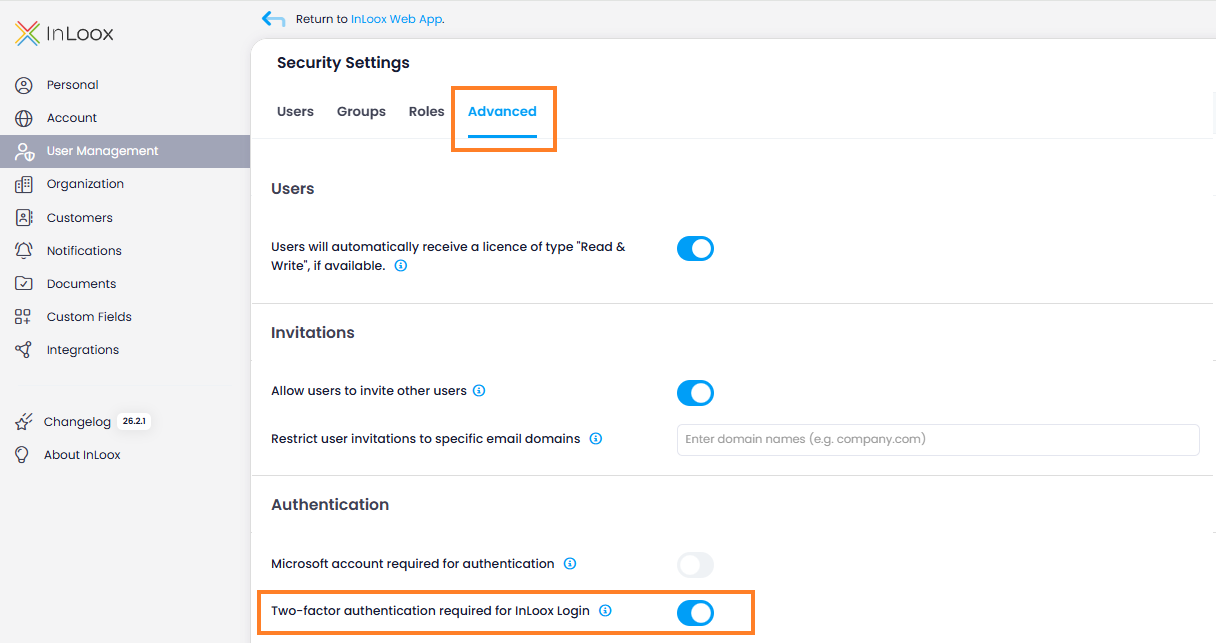
For two-factor authentication, users can choose between a verification code via email or an authenticator app. Users who sign in via Microsoft 365 are automatically exempt from this requirement.
If a user without 2FA attempts to log in, access is blocked and instructions for setting up two-factor authentication are displayed.
Help article: Require Two-Factor Authentication