Improved Workload View
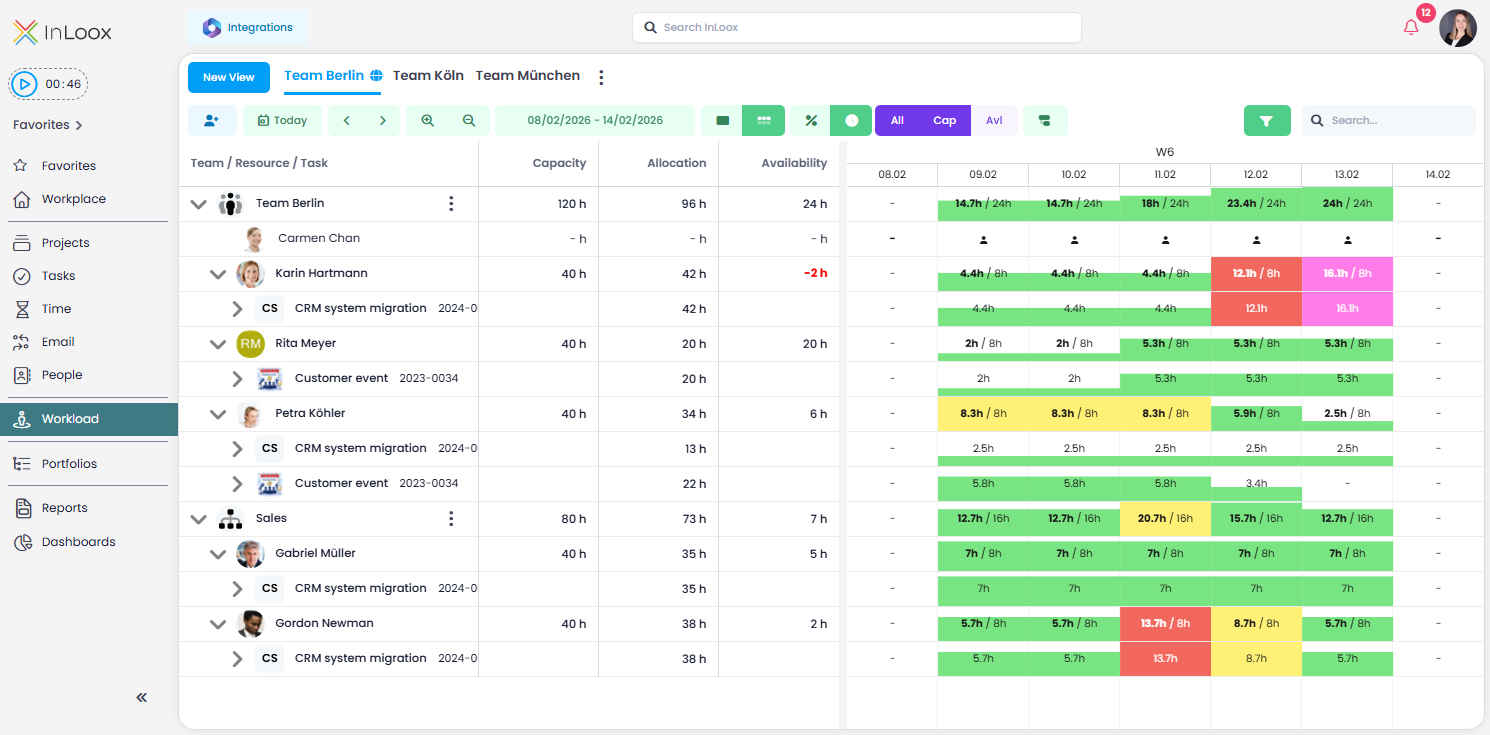
With InLoox 26.1, the workload view has been further enhanced. In addition to Team / Resource / Task, the following columns are now displayed by default:
- Capacity — available working hours (e.g., 40 hours per week)
- Allocation — working hours already scheduled
- Availability — working hours still available
New Navigation Features
- Switch between absolute values (hours) and a relative percentage view
- Centralized level selector to switch the view between Teams & Departments, People, Projects, or Tasks & Appointments
This makes it easy to move all resources to the desired level of detail at once — especially helpful for larger-scale resource planning. The utilization view now provides a fast and reliable forecast of how much capacity will still be available over the coming months.
Help article: Workload