User Groups for Projects
Managing project participants is now easier: In the Account Settings, you can create user groups within user management and assign individual users to them. The key benefit: project roles can now be assigned at group level.
In practice, many projects regularly involve the same teams — such as Marketing, HR, Development, or Procurement. Instead of adding each team member individually to every new project, simply assign the appropriate group to the desired project role. This significantly reduces the manual effort required when setting up new large-scale projects.
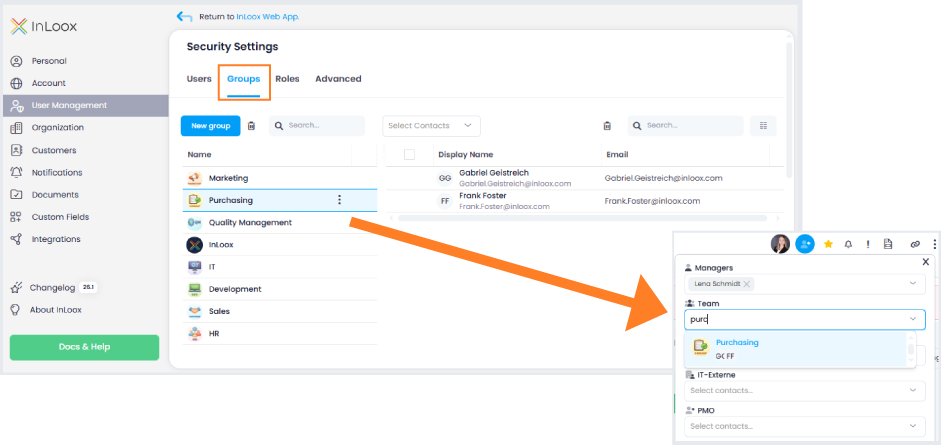
Help article: Permissions: User Groups for Projects
This feature is available in the InLoox Enterprise, Enterprise Plus, and Self-Hosted editions only.