2 posts tagged with "platform:self-hosted"

InLoox Self-Hosted

View All Tags

Self-Hosted: Status Page for Services

When notifications stop arriving or a background job does not run, the first question is whether all InLoox services are up. Administrators of InLoox Self-Hosted now find the answer on the new Server status page in the Account Settings, without having to log on to the server.

  • Service health: All relevant Windows services and web applications are listed with the version they report and their last heartbeat — Running, No recent heartbeat, or Never reported.
  • Email sending: A separate card shows whether email sending is working or failing.
  • Recent log entries: The latest messages of all services, with errors highlighted in red.
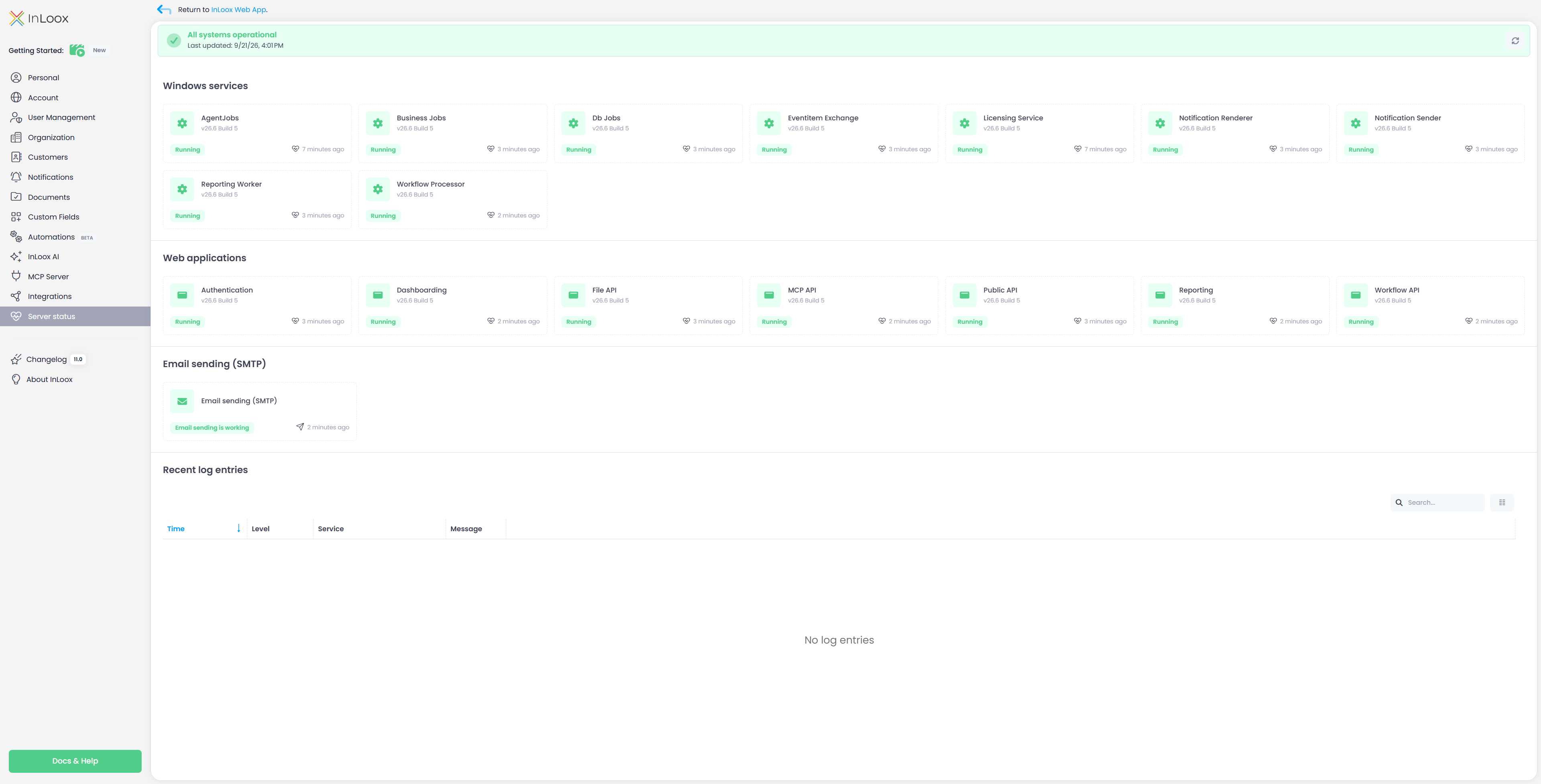
Server status page with Windows services, web applications, and SMTP status

The banner at the top sums up whether all systems are operational, and the page refreshes automatically every 60 seconds.

Use Your Own AI Model with InLoox

AI in InLoox Self-Hosted for the first time: The AI features used to be reserved for the cloud editions, because the default model runs in the InLoox Cloud only. With a model of your own, the full range of features is now available in a self-hosted installation as well:

  • Generate project tasks from a short description
  • Identify tasks in emails, both in the web app and in the Outlook add-in
  • Have project descriptions written for you

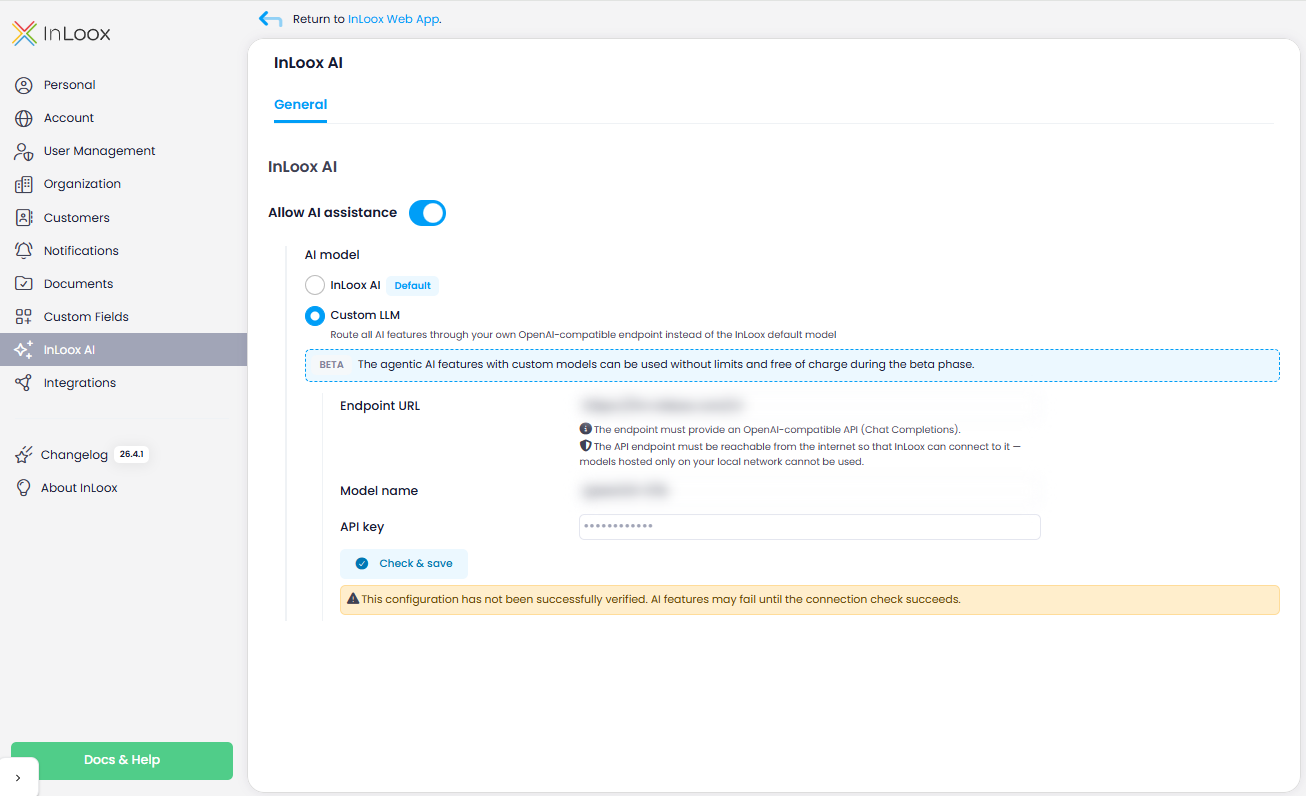
To do so, register your own OpenAI-compatible endpoint in the new InLoox AI area of the Account Settings, which the cloud editions can do just as well if they prefer not to use the default model. Every AI feature then runs through that model, so you determine which provider is used and under which terms your data is processed. The same area is where you allow or block AI support for your account as a whole.

InLoox AI settings

Beta feature

Connecting your own model is released as a beta feature in InLoox 26.5. The range of functions and the configuration options may still change.

note

The endpoint must provide an OpenAI-compatible API (Chat Completions). In the cloud editions it must be reachable from the internet, in InLoox Self-Hosted from the application server that runs InLoox. Configuring InLoox AI requires administrator permissions.

Help articles: InLoox AI · InLoox AI Assistant