5 posts tagged with "platform:mobile"

InLoox Mobile App

View All Tags

The New InLoox Help Center Is Now Live

The InLoox Help Center has been completely redesigned and is now available at docs.inloox.com. It is the central hub for all InLoox documentation, bringing together everything from InLoox Web App and InLoox for Outlook Add-in to Microsoft Teams integration, InLoox Mobile Apps, the InLoox API, and InLoox Self-Hosted installation.

You can access the InLoox documentation directly from InLoox Web App: simply click the question mark icon. The new Help Center offers a significantly improved user experience with clearer navigation, faster access to information, enhanced search capabilities, and integrated AI assistance.
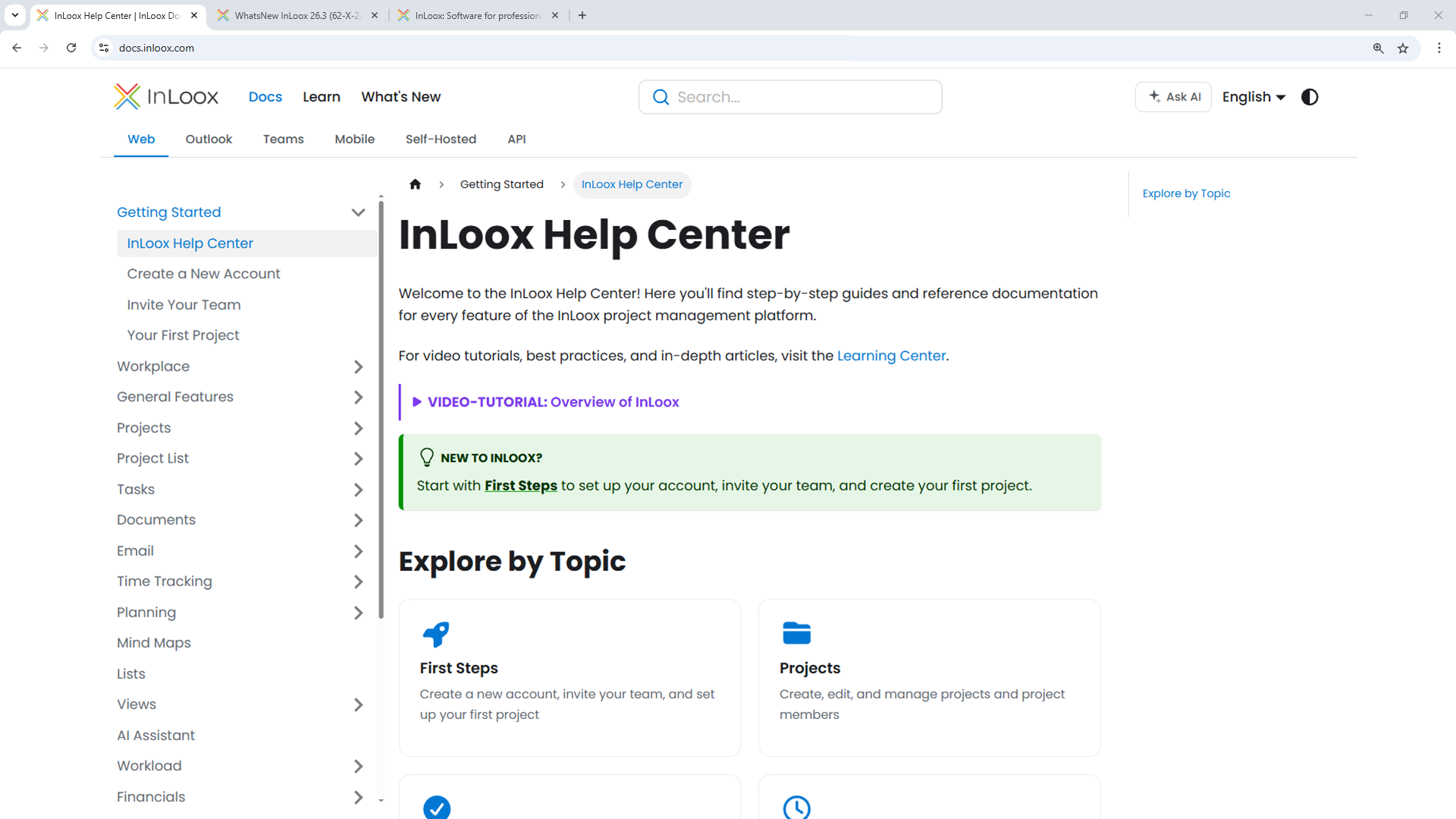
The new InLoox Help Center

What You'll Find

  • Comprehensive product documentation: Step-by-step guidance for all InLoox features in InLoox Web App and the Outlook and Teams Add-ins.
  • Getting started guides: Quick introductions to help new users set up their InLoox Account and successfully launch their first projects.
  • Video tutorials and learning content: A dedicated Learning Center with short video walkthroughs for the most important workflows and use cases.
  • InLoox API reference documentation: Detailed technical documentation for developers integrating InLoox through the OData REST API.
  • InLoox for Outlook and InLoox for Teams integration guides: Dedicated sections covering the InLoox Outlook Add-in and Microsoft Teams integration.
  • Self-Hosted installation documentation: Setup and configuration guides for on-premise deployments.

Faster Search and AI-Powered Assistance

The new full-text search helps you quickly find relevant articles, tutorials, and API endpoints across all documentation sections. In addition, the integrated InLoox AI Assistant can answer questions directly based on the official InLoox documentation. Simply describe your issue or ask a question to receive contextual guidance instantly.

The InLoox Help Center is available in English and German:
Mobile App: Document Details, Multi-Select and More

The mobile app has been enhanced with several new features that make managing your projects on the go even more efficient:

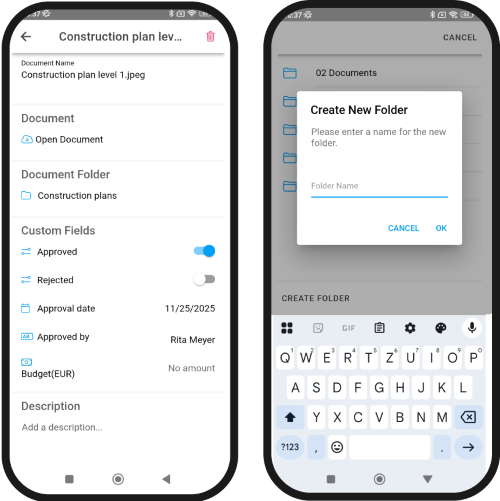
  • Document detail view: The new detail view lets you access and edit all relevant document information at a glance, such as the document name, description, and all custom fields. In addition, documents can now be moved to other project folders or new folders can be created directly.

Mobile app: Document detail view and create folder

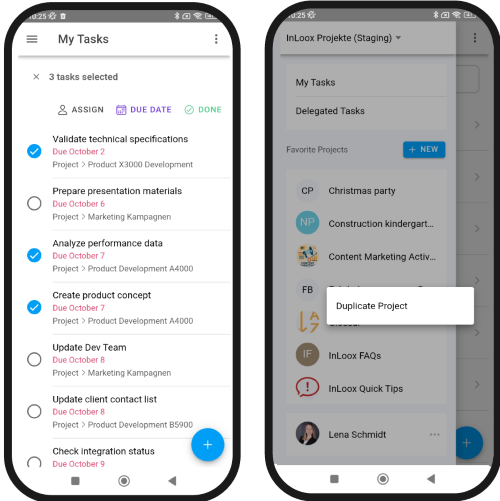
  • Multi-selection of tasks via long press: Edit multiple tasks at once, for example by adjusting due dates, assigning resources, or completing several tasks simultaneously.
  • Duplicate projects: Recurring workflows can be set up faster by duplicating existing projects.

Mobile app: Multi-select tasks and duplicate project

  • Switch accounts: Switch between accounts with a single tap. Ideal for users managing multiple teams or clients.

Help article: Mobile App

Mobile App: Checklists, Comments, Recurring Tasks

Many features already available in the InLoox Web App are now also available in the Mobile App. This lets you organize and manage your tasks just as comfortably on the go:

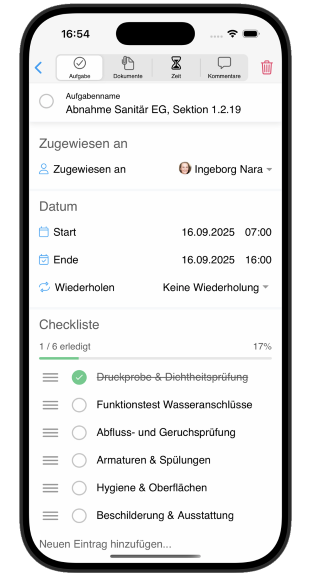
  • Checklists in tasks: Tasks can now also be structured with checklists in the mobile app – ideal for smaller, subordinate to-dos.
  • Comment function: You can now read and add comments to any task directly in the app and mention team members or entire groups (e.g., "the team"). This keeps communication transparent and centralized in the right place.
  • Recurring tasks: Regularly recurring activities no longer need to be created from scratch each time. With the repeat task feature, you can now also create series in the mobile app, e.g., for weekly reports or monthly reviews.

Mobile App: Checklists in tasks, comments, recurring tasks

Help article: Mobile App

Mobile App: Time Tracking

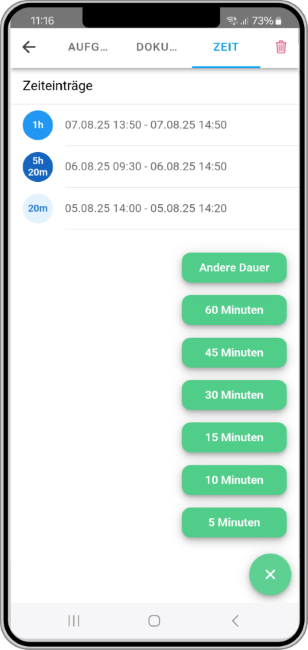
The InLoox Mobile App has been expanded with another key project management feature: time tracking. You can now log time on project tasks directly from anywhere.

If a task is assigned to a project, you'll see the new "Time" tab in the top navigation bar. Tap the plus icon to select the desired duration and, as in the web app, add further details such as a description.

Time tracking for tasks in the InLoox Mobile App

Help article: InLoox Mobile App

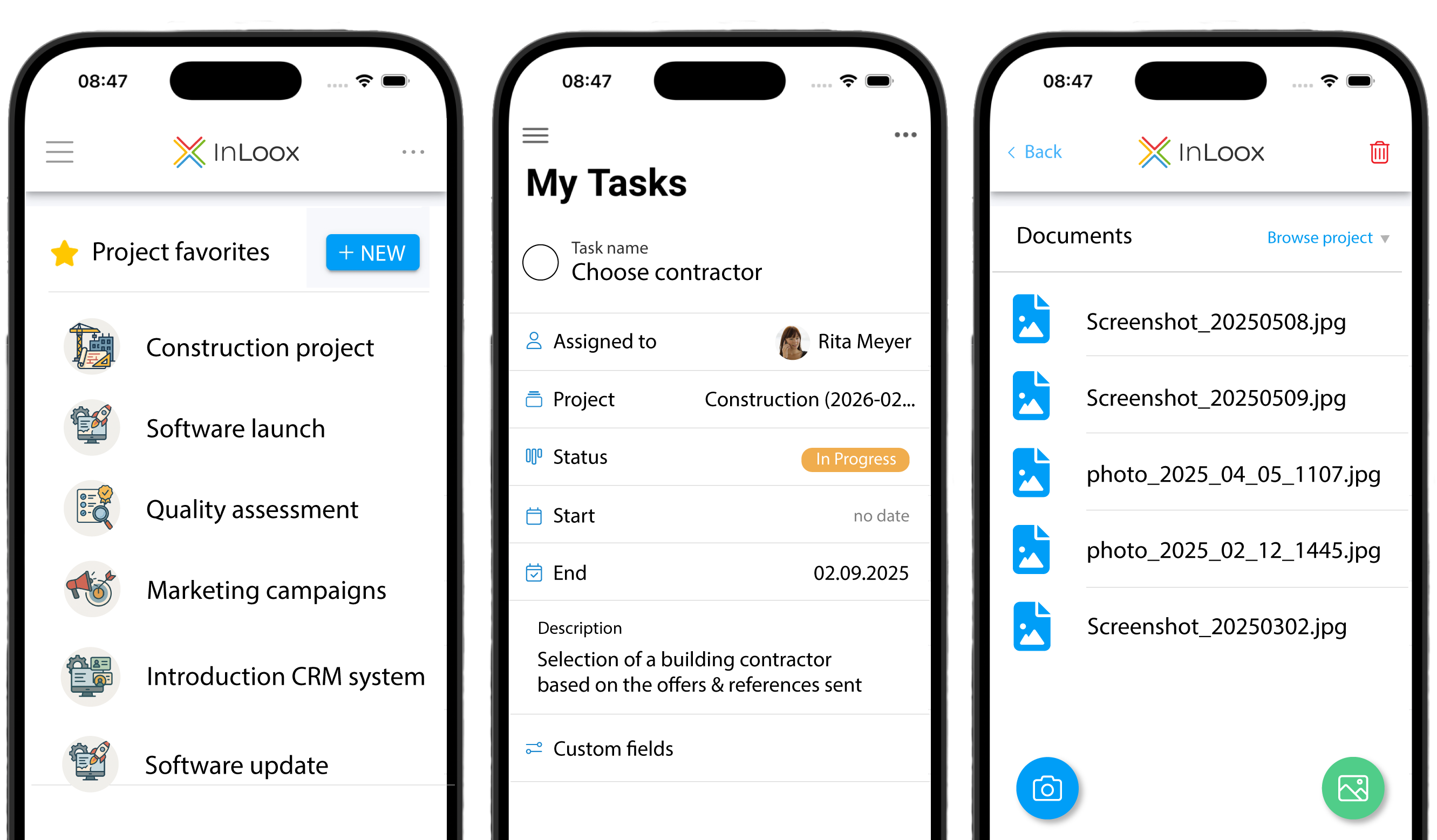
InLoox Mobile App for iOS & Android

Whether you're on-site, in a client meeting, or in a team briefing – with the new InLoox Mobile App, your projects are always with you.

Say goodbye to handwritten notes, scattered emails, or messenger threads. With the InLoox app, you can quickly capture ideas, to-dos, issues, and customer requirements directly within the project – right where your team continues working. Tasks can be created, edited, and assigned to team members in just a few taps. Uploading photos and documents is just as fast – straight from your mobile device.

InLoox Mobile App

The app is optimized for smartphones and tablets and gives you full flexibility for mobile task management – anytime, anywhere.

note

The InLoox Mobile App is available for all InLoox Editions and part of your InLoox subscription.