7 posts tagged with "area:workload"

Resource workload

View All Tags

Display of Completed Tasks in Workload

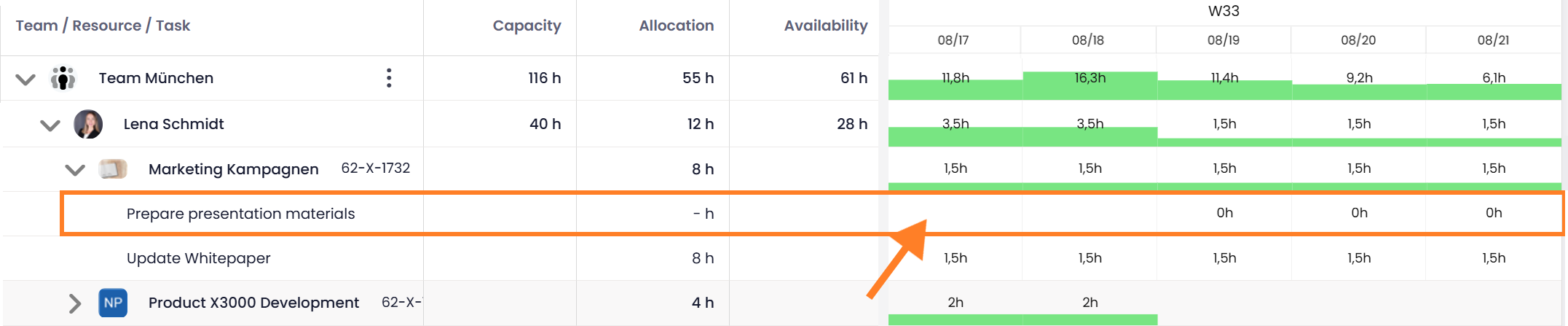
The workload view now allows you to include completed tasks in the calculation. Using the new Done Tasks toggle, you can define whether finished tasks should be considered in workload calculations. This makes it possible to analyze workload retrospectively — for example, to review how team capacity was distributed over the past week.

Completed tasks in workload view

Help article: Workload

Improved Workload View

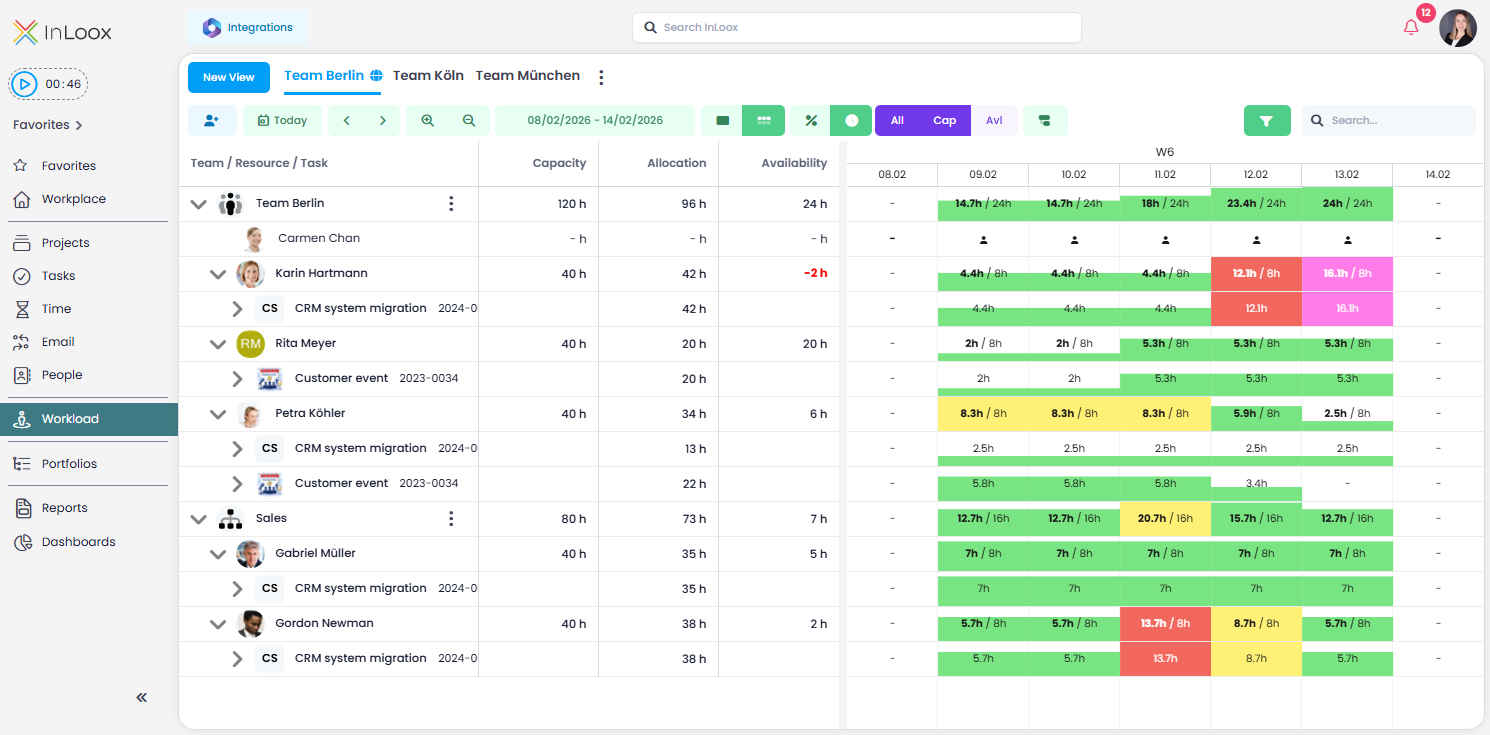
With InLoox 26.1, the workload view has been further enhanced. In addition to Team / Resource / Task, the following columns are now displayed by default:

  • Capacity — available working hours (e.g., 40 hours per week)
  • Allocation — working hours already scheduled
  • Availability — working hours still available

New Navigation Features

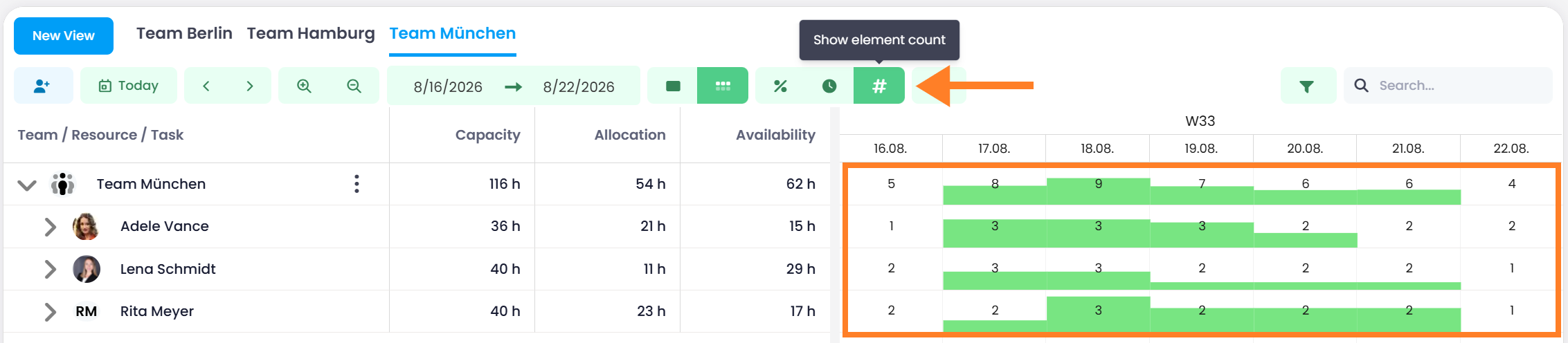
  • Switch between absolute values (hours) and a relative percentage view
  • Centralized level selector to switch the view between Teams & Departments, People, Projects, or Tasks & Appointments

This makes it easy to move all resources to the desired level of detail at once — especially helpful for larger-scale resource planning. The utilization view now provides a fast and reliable forecast of how much capacity will still be available over the coming months.

Improved workload view

Help article: Workload

Collaborators in Tasks for Improved Resource Allocation

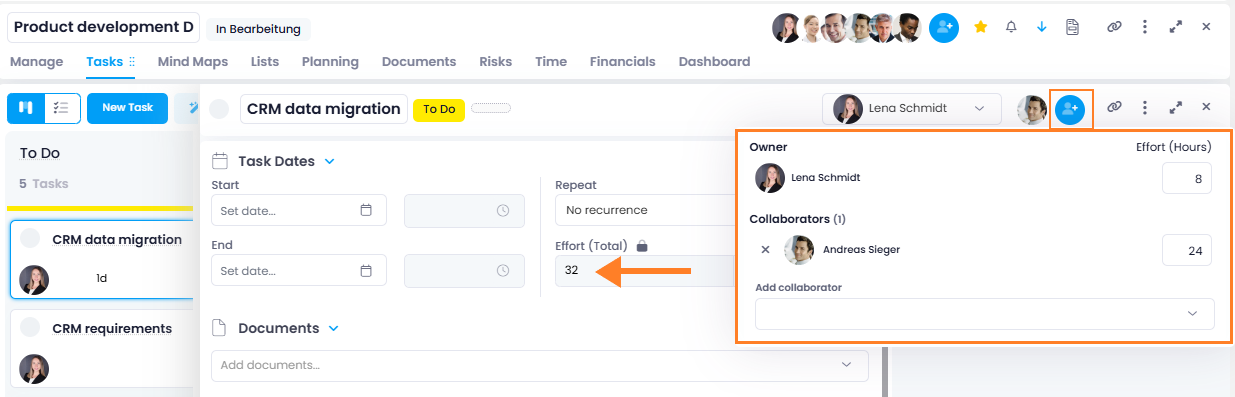
To support more accurate allocation and planning of workloads, you can now add collaborators to tasks in addition to the owner. This makes it possible to assign workloads to specific individuals and capture resource utilization more precisely. All assigned workloads are automatically summed up to form the total effort of the task.

Collaborators and owners of tasks

note

This feature is solely intended to provide more accurate workload data as a basis for precise resource management. It does not serve as a team task. Collaborators therefore only receive a notification when they are added to a task, but they are not considered co-editors of the task.

Two new columns have been added in this context:

  • Effort (Owner) Hours: Displays the workload assigned exclusively to the task owner.
  • Effort (Task) Hours: Displays the total workload of the task (owner + collaborators).

People/Resources: Define Capacity in %

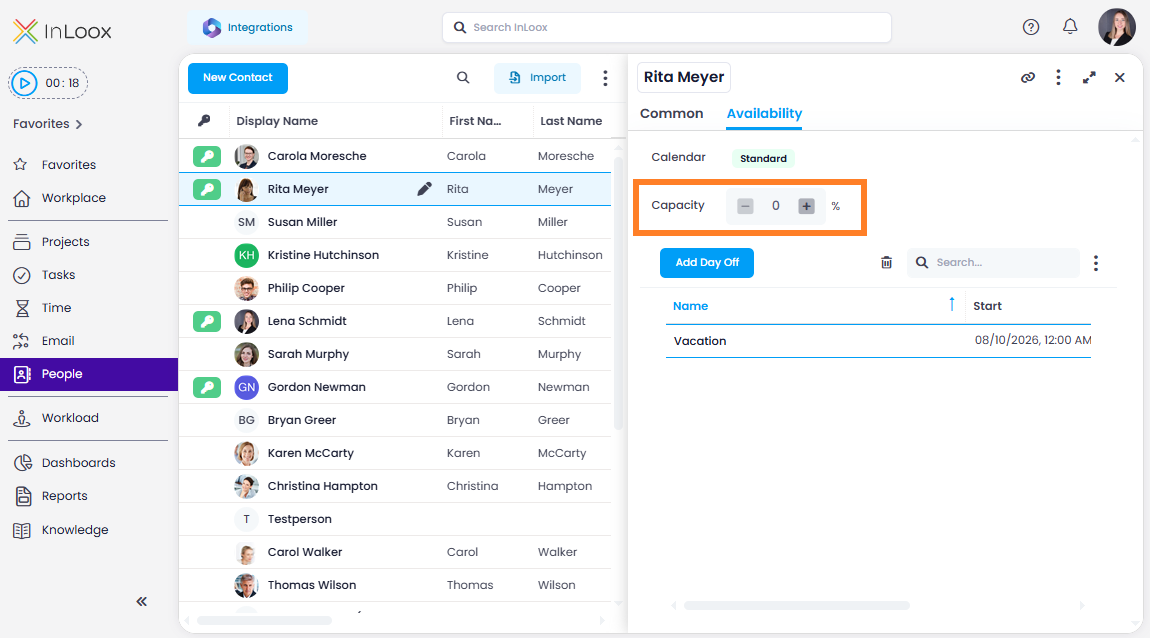
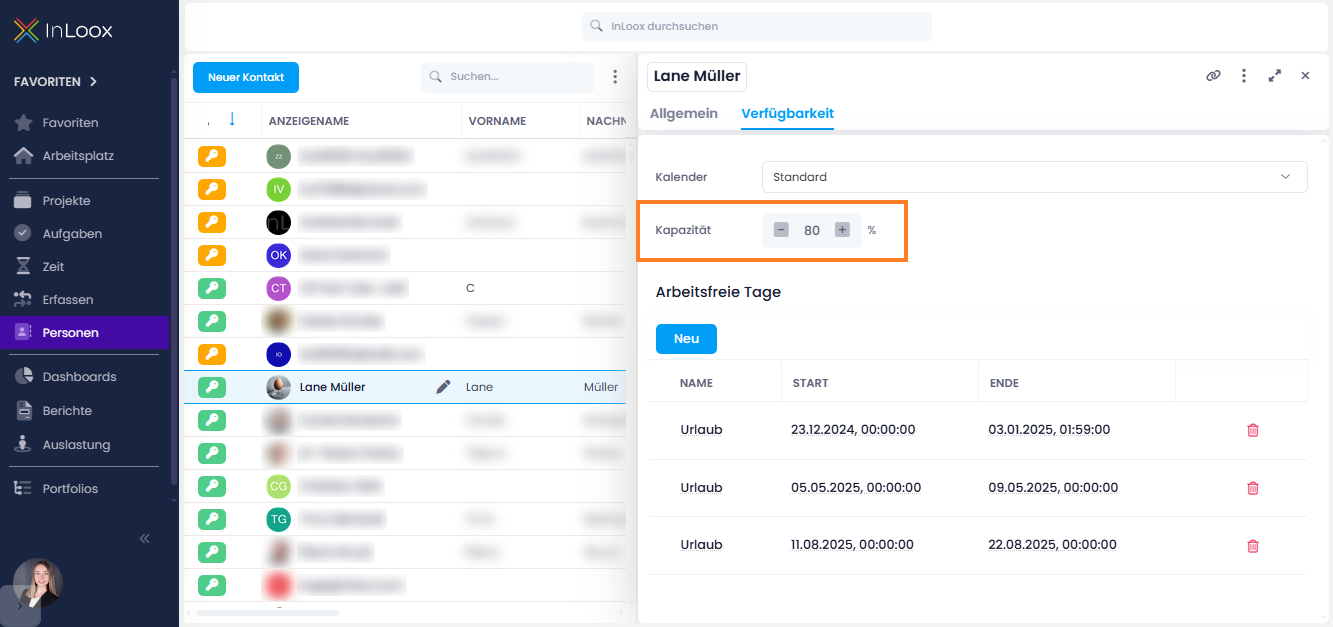
Under People in the tab Availability, you can now specify the percentage of capacity a resource can contribute to projects. This makes it easier to reflect realistic workloads:

  • Example: A person allocated only 80% to project work will be displayed accordingly in workload planning.
  • Higher values are also possible, e.g., for team or machine resources that can provide more than 100% capacity.

This lets you flexibly and precisely model both individual base workloads and abstract resources such as teams or machines.

Define capacity for people

Help articles: People & Contacts | Workload

Workload: Divisions and Teams

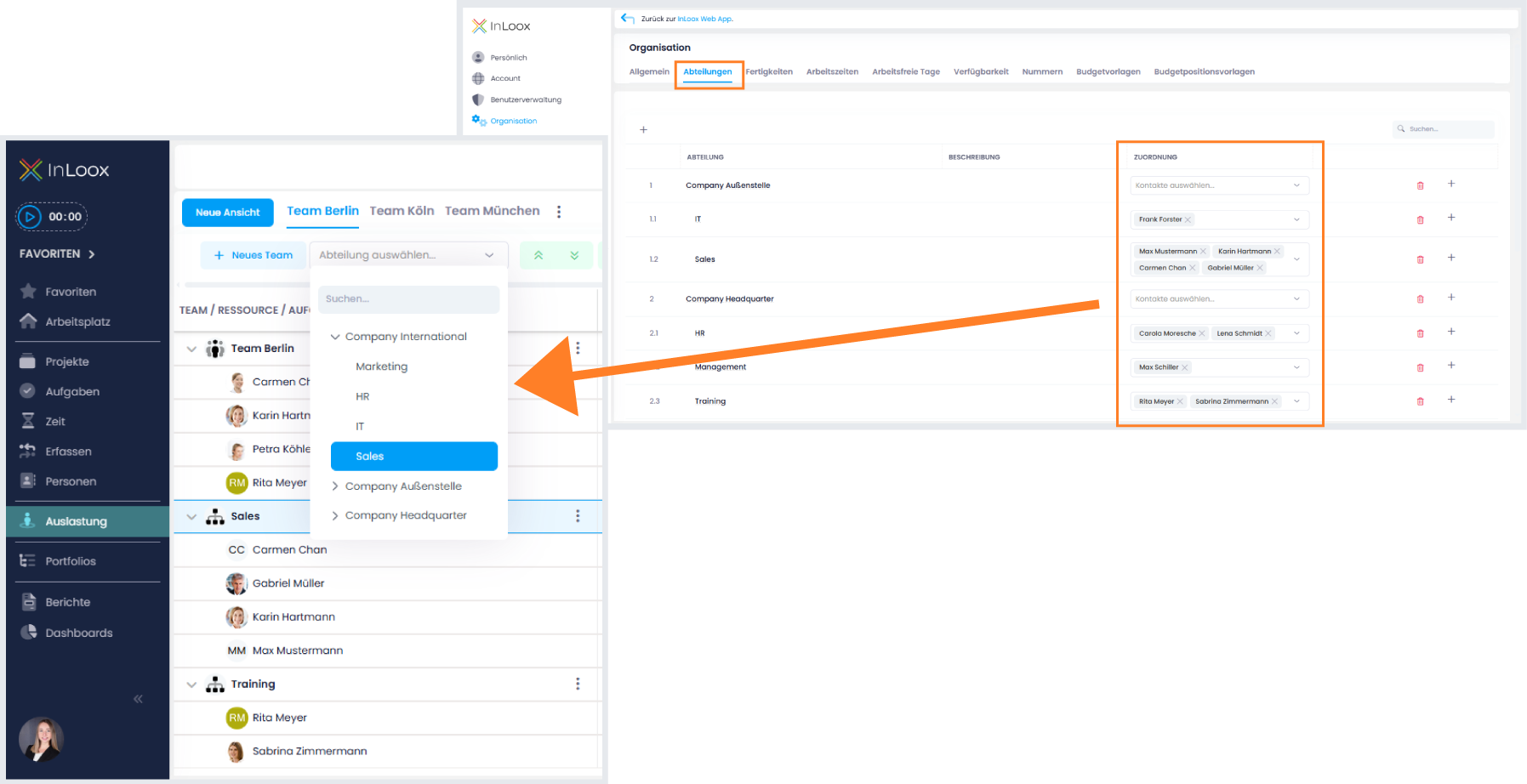
In the workload view, you no longer have to add each person individually. Instead, you can now select entire divisions or create freely definable teams. This immediately shows the cumulative workload of a whole unit, ideal for resource planners who need an overview at a higher level.

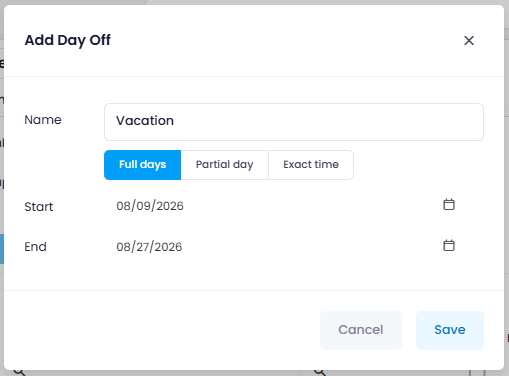
info

Division assignments are configured under Account Settings > Organization > Divisions > Assignment.

Divisions in workload view

Help article: Workload

Workload: Share Views Globally

In the workload you can now create individual configurations of resources not only for yourself, but also share views globally with all users in the account. This ensures that everyone works with the same view – no one has to manually create their own setup with the right people.

A view can easily be shared via the three-dot menu using the Share View option. Shared views are easy to recognize: a person icon appears next to the name, and it is also indicated who shared the view. Users will, of course, only see workload data if they have the corresponding permissions.

Shared workload view

Help article: Workload

Workload: Color Scheme and Absences

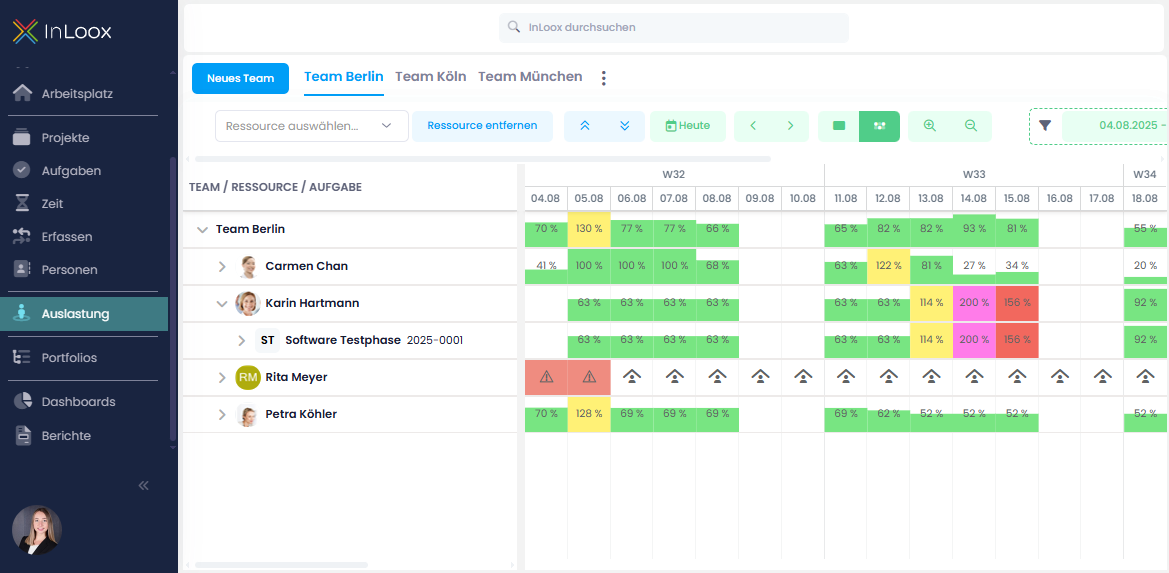
The Resource Utilization view is now even clearer thanks to a new color scheme. Depending on the utilization level, items are color-coded so you can instantly see where capacity is tight or has been exceeded:

  • Green: up to 100%
  • Yellow: over 100% to 150%
  • Red: over 150% to 200%
  • Purple: over 200%

Also new: Absences are now displayed directly in the utilization view with an icon. An exclamation mark indicates when people are booked for a task despite being absent – helping you quickly spot potential conflicts and make adjustments.

The data for this is based on non-working days that are either:

  • defined for certain calendars in the Account Settings (e.g., public holidays), or
  • set individually in the People section (e.g., personal vacation days).

The project number is now shown alongside the project name which avoids potential confusion with projects that have identical or similar names.

Workload with new color scheme, days off and project number