2 posts tagged with "area:email"

View All Tags

Track: Additional Display Options

When booking calendar appointments or mails to projects in the Track section, the view is now much clearer thanks to two new toggles that let you focus on what matters:

  • Show Tracked Items: Hide previously tracked times to avoid overly long, cluttered lists.
  • Show Completed Projects: Hide completed projects to focus on current, active ones.
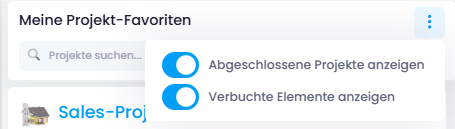
New toggles when tracking calendar appointments

Track: Move Documents to Specific Folders

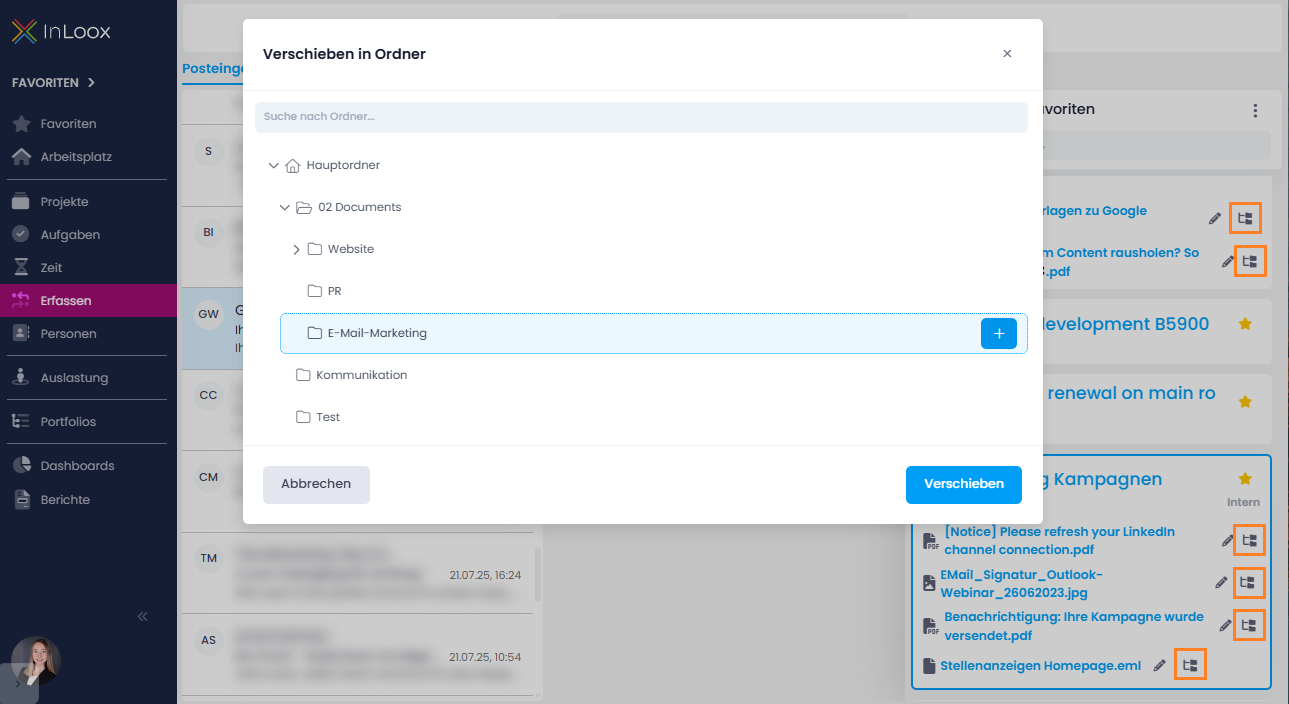
When saving emails or attachments to InLoox via the Track section, you first select a project to store them in. Now, you can move saved emails, attachments, or documents into a specific folder within the project afterwards.

Next to the document name, you'll find a new icon that opens the "Move to Folder" dialog, allowing you to move the file into an existing folder or create a new one on the spot.

Track emails and attachments: Move file to specific project folder

Help article: Track