Publish Templates for Lists, Mind Maps, and Tasks
With InLoox 26.5, planning templates became private by default and could be released deliberately. InLoox 26.6 extends this concept to list templates, mind map templates, and task templates. A newly saved template is visible only to you until you publish it.
Three levels of publication are available:
- Private (unpublished): Only you can see and use the template.
- Entire Organization: Everyone in your account can see and use the template.
- Specific Divisions, Groups and Persons: Only the recipients you select can see and use the template.
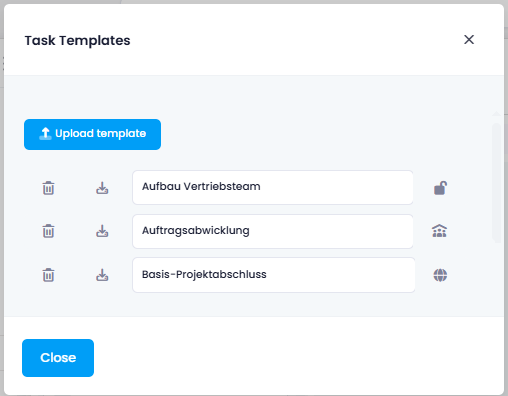
Under Manage Templates, an icon next to each template shows its publish status at a glance. Click it to change the publication or assign a different owner.
note
Publishing requires the Publish templates permission. Administrators always see all templates in the account, including private ones, so a template is not lost when the person who created it leaves the company.
Help articles: Lists · Mind Maps · Task Templates