Set Language and Regional Format Separately
Until now, the interface language also determined how dates and numbers were displayed. The two are now separate settings, so you can, for example, work with an English interface while dates, numbers, and currency values appear in the Swiss format.
-
Language: Controls the interface texts, localized labels, and month and day names.
-
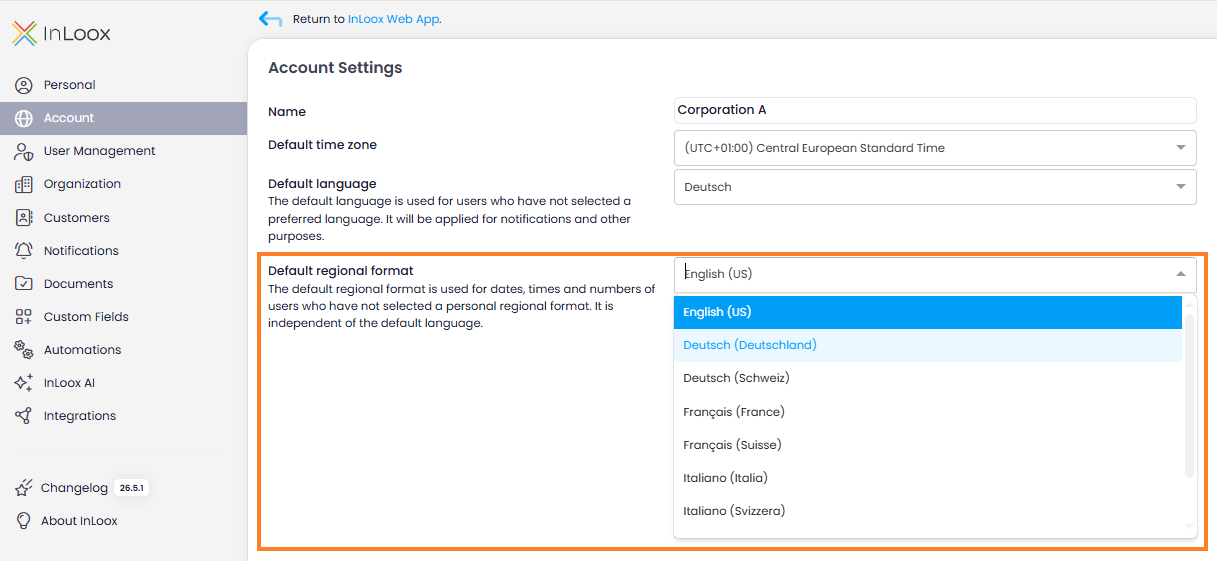
Regional format: Controls how date, time, numbers, and currency values are formatted. Available formats include English (US), German (Germany and Switzerland), French (France and Switzerland), Italian (Italy and Switzerland), Spanish, and Polish. Administrators define a default regional format for the entire account in the Account Settings. Each user can override it in their personal settings and immediately sees the result in a preview.
Help articles: Regional Format · Default Regional Format · Language