New Section: Automation (Beta)
Routine steps that you would otherwise do by hand can now run on their own. With Automation, you set up rules that react to changes in InLoox and carry out actions on your behalf, without writing any code.
Every rule follows the same pattern: When an event occurs, if the conditions are met, then InLoox runs one or more actions.
- Triggers: A rule starts when something happens, for example when a task is created, a status changes, or a document is added.
- Conditions: Optional conditions let the rule run only in specific cases, for example only for tasks in a certain project.
- Actions: Send an email, create a task, set fields, add a comment, and more. Tokens such as
{{Project.Name}}insert live values from the triggering item. - Areas: Rules are available for tasks, projects, budgets, documents, time entries, planning, line items, and risks. Reports can be generated and sent on a recurring schedule.
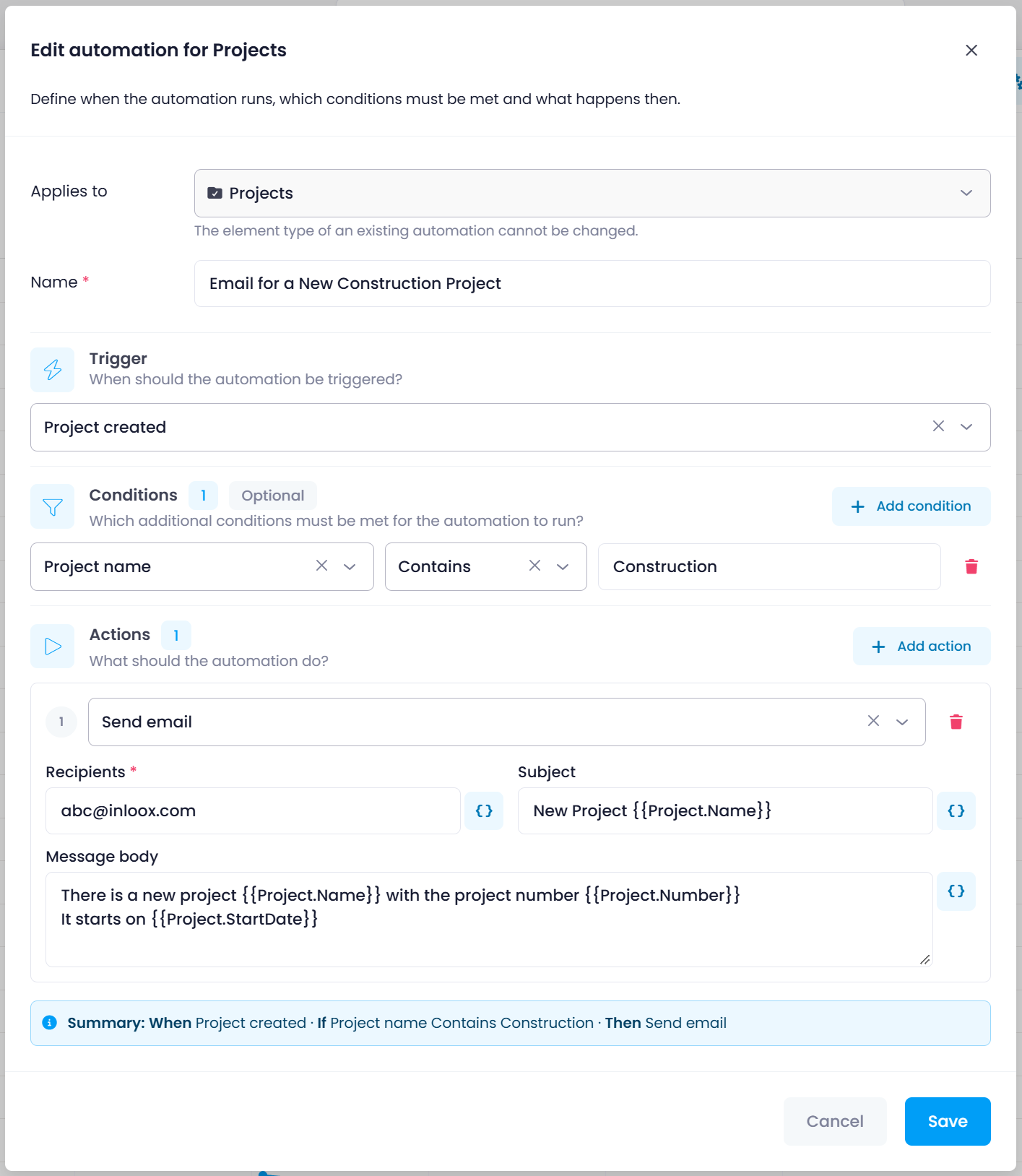
You create your first rule directly in the respective area via Automation. In the Account Settings, you keep track of all your own rules, and administrators additionally of the rules of all users.
note
Automation is included in all InLoox editions. Creating rules requires the Edit automations permission. The feature is marked with a BETA label and may still change.
Help articles: Automation · Creating a Rule