Import Planning Data from Excel
Plans that used to be maintained in Excel now go straight into InLoox. In the Planning tab, you can import planning data from a Microsoft Excel (.xlsx) or CSV (.csv) file and continue working with it in the Gantt chart.
This shortens the path considerably when you are getting started with InLoox: your existing project schedule does not have to be retyped, it comes across with its structure intact. During the import, the Map Excel Columns window is where you assign the columns of your file to the planning fields in InLoox.
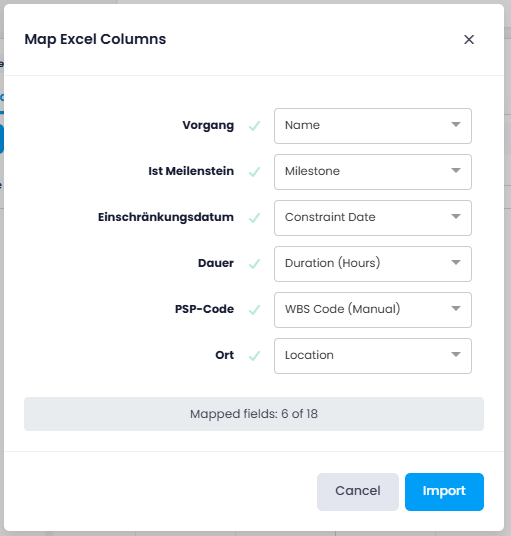
Help article: Import and Export Plannings