Multi-Project Timeline: New Columns and Settings
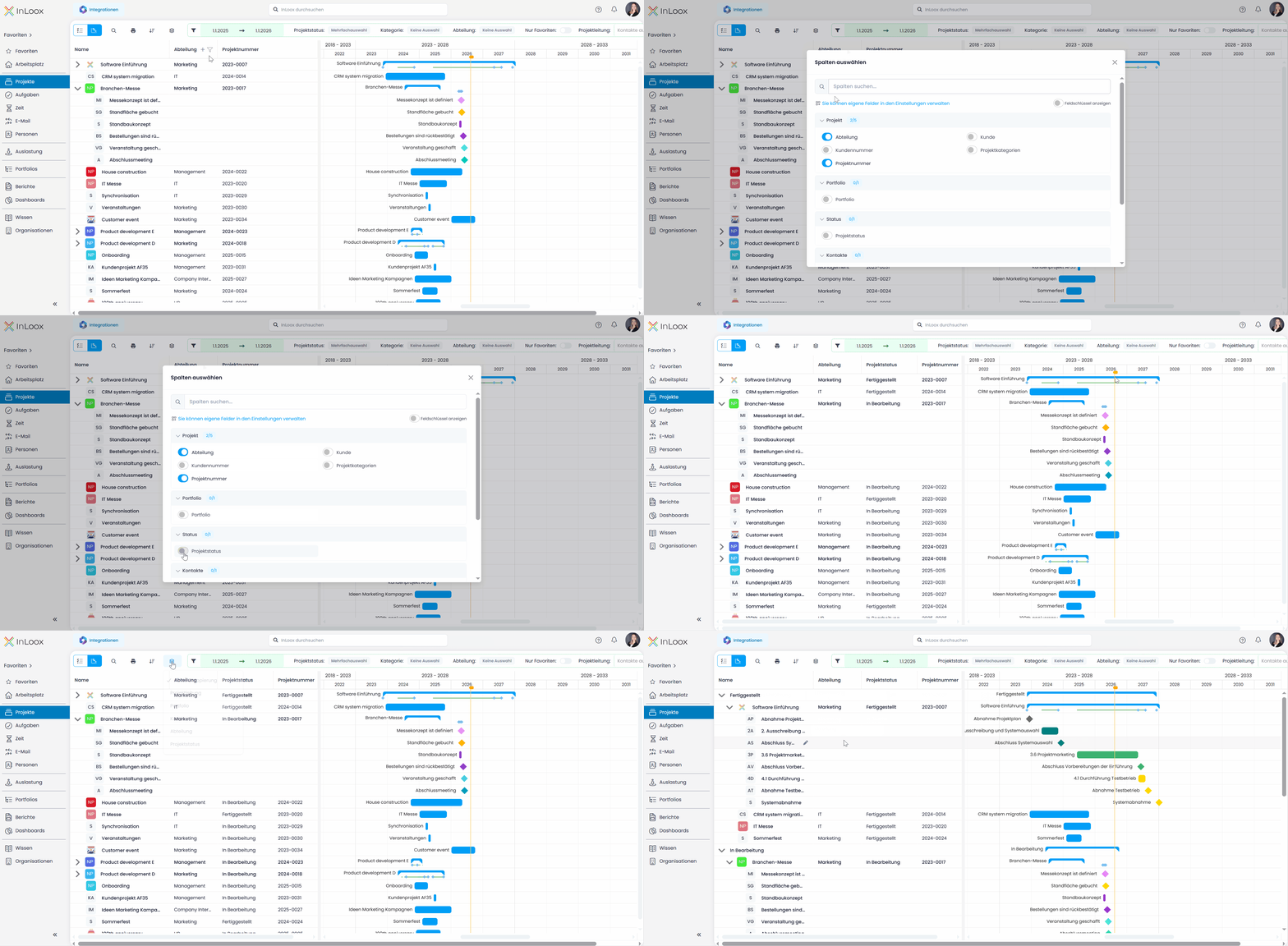
Status, project manager, or portfolio are now visible right next to the bars, without opening a project. The column list on the left side of the multi-project timeline is no longer limited to the project name.
The Select columns window lets you show exactly the information you want to keep an eye on:
- Division
- Customer and Customer Number
- Project Categories
- Project Number
- Portfolio
- Project Status
- Project Manager
- All custom fields defined for projects
The columns appear in the list immediately and can be dragged into the order you want. As in other list views, you can also sort, filter, and group by them, for example all projects of one division, grouped by project status. That is how you put together exactly the overview your projects need.
Help article: Multi-Project Timeline