SharePoint Online: Integrated Document Approval Workflow
Documents often need to be reviewed or approved by multiple people – and many organizations already use approval workflows in SharePoint Online for this. With InLoox 12.4, these processes are now also visible directly in InLoox.
In the project documents, you can immediately see the current status of an approval process, without having to switch between systems.
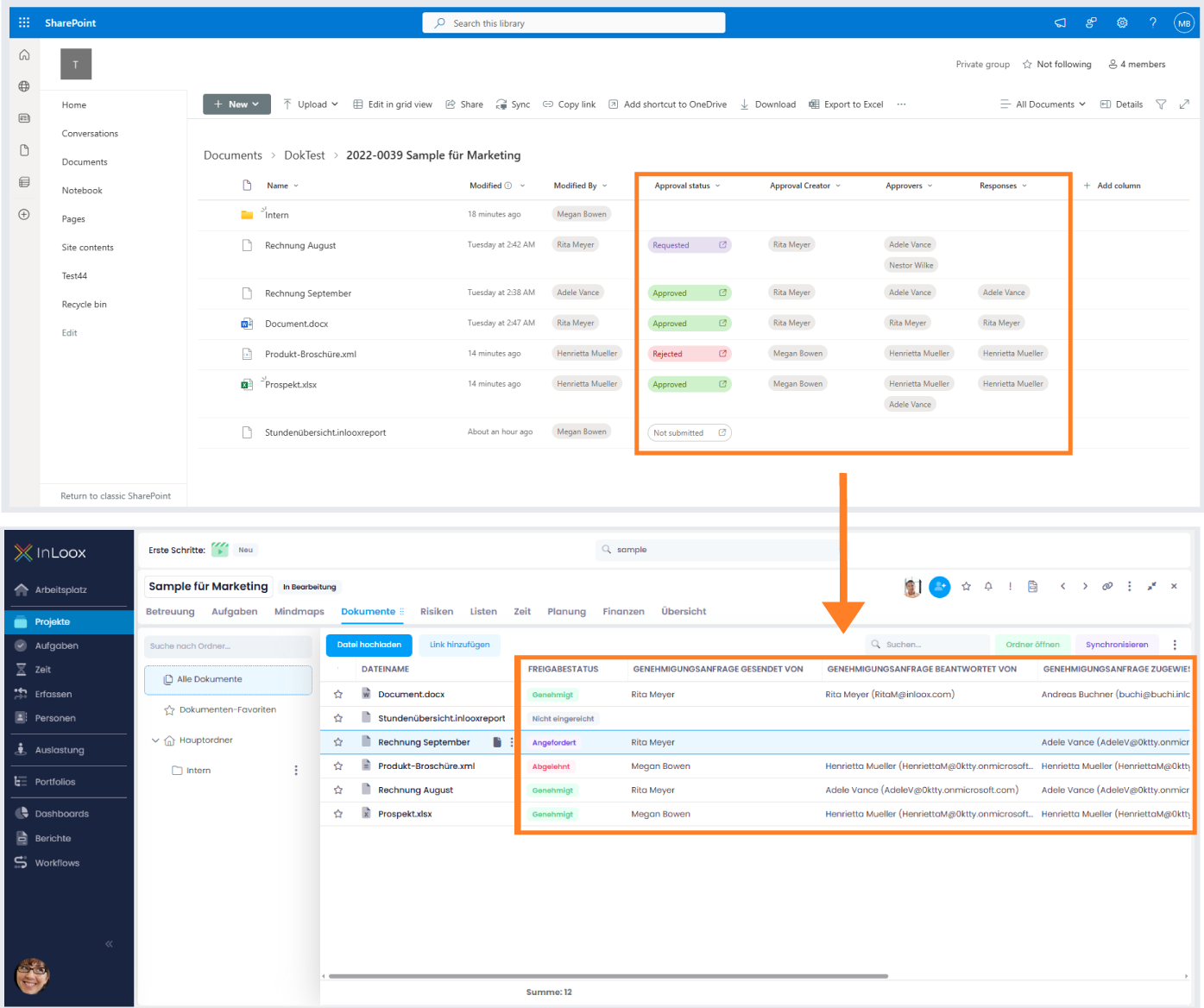
New columns in InLoox display the following SharePoint information:
- Approval State: e.g., "Not submitted", "Requested", "Approved", "Rejected"
- Approval request sent by
- Approval request responded by
- Approval request assigned to
This gives you full transparency over ongoing approvals and ensures complete traceability.
Help article: Overview of Columns