Import Days Off via Excel and iCalendar
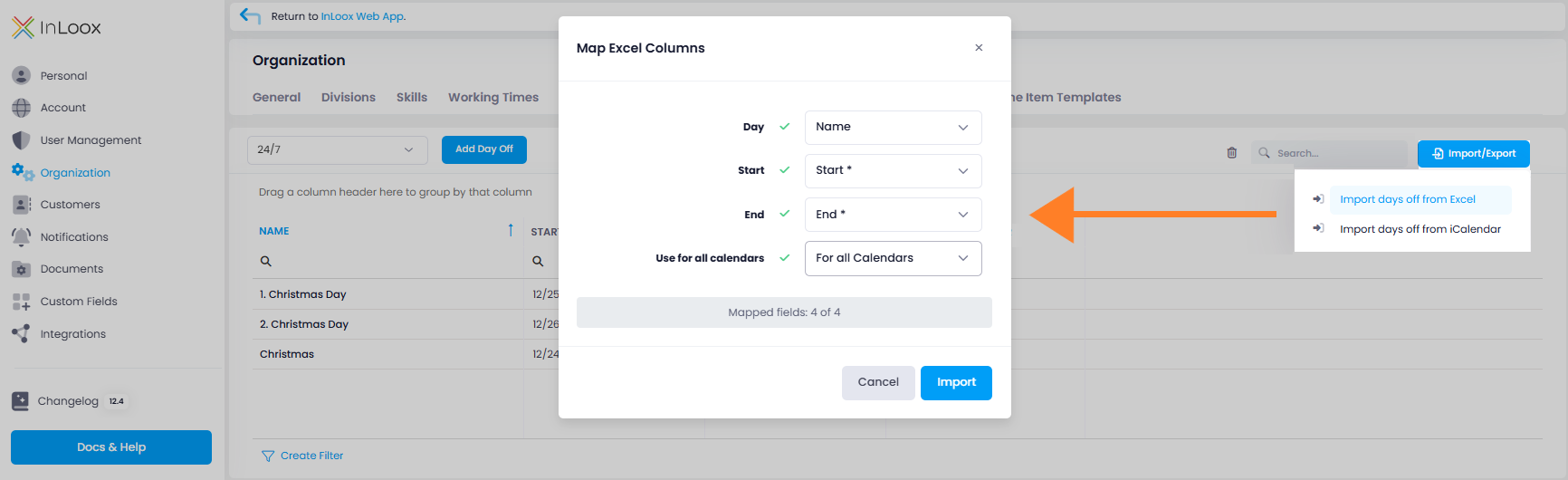
Do you want to reflect non-working days such as public holidays or company vacation in the calendar? You no longer need to enter them manually in the settings. Instead, you can conveniently import them via Excel file or iCalendar.
The file must include information on the Name of the non-working day, Start and End. Optionally, you can also add a column "For all calendars" if days off should apply to all calendars. This allows you to quickly import extensive calendar data and centrally provide it for the entire organization.
Help article: Working Hours, Calendars and Days Off