Planning: Improvements to Gantt Printing
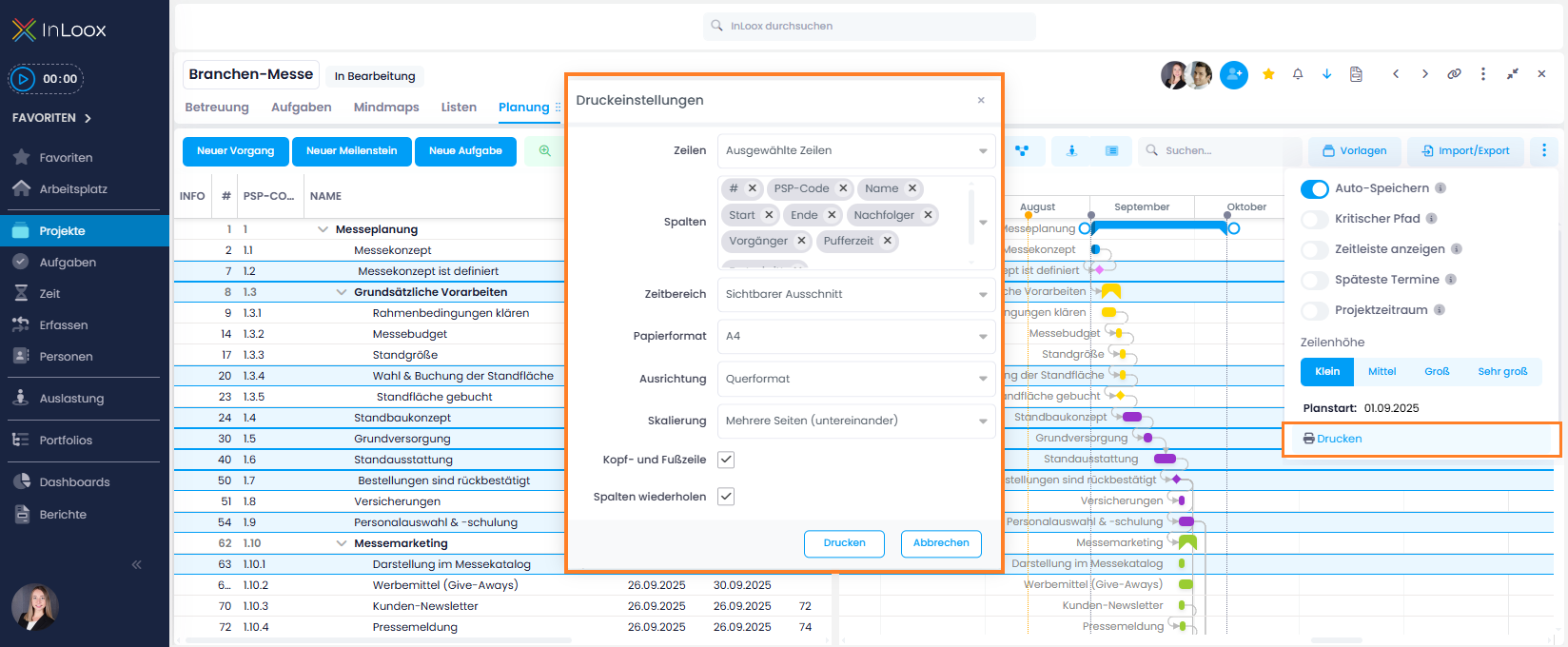
The Gantt print function now offers more flexibility and information:
- Print only selected rows: You no longer have to print the entire plan – simply select the rows you need and print just those.
- All columns available: All columns are now available for printing, including custom fields (previously only selected columns were available).
- New "Header and Footer" option: When enabled, the printout will also include the project name, print date, name of the person who printed it, and the page number.
New Options for Activity Labels in the Gantt Plan
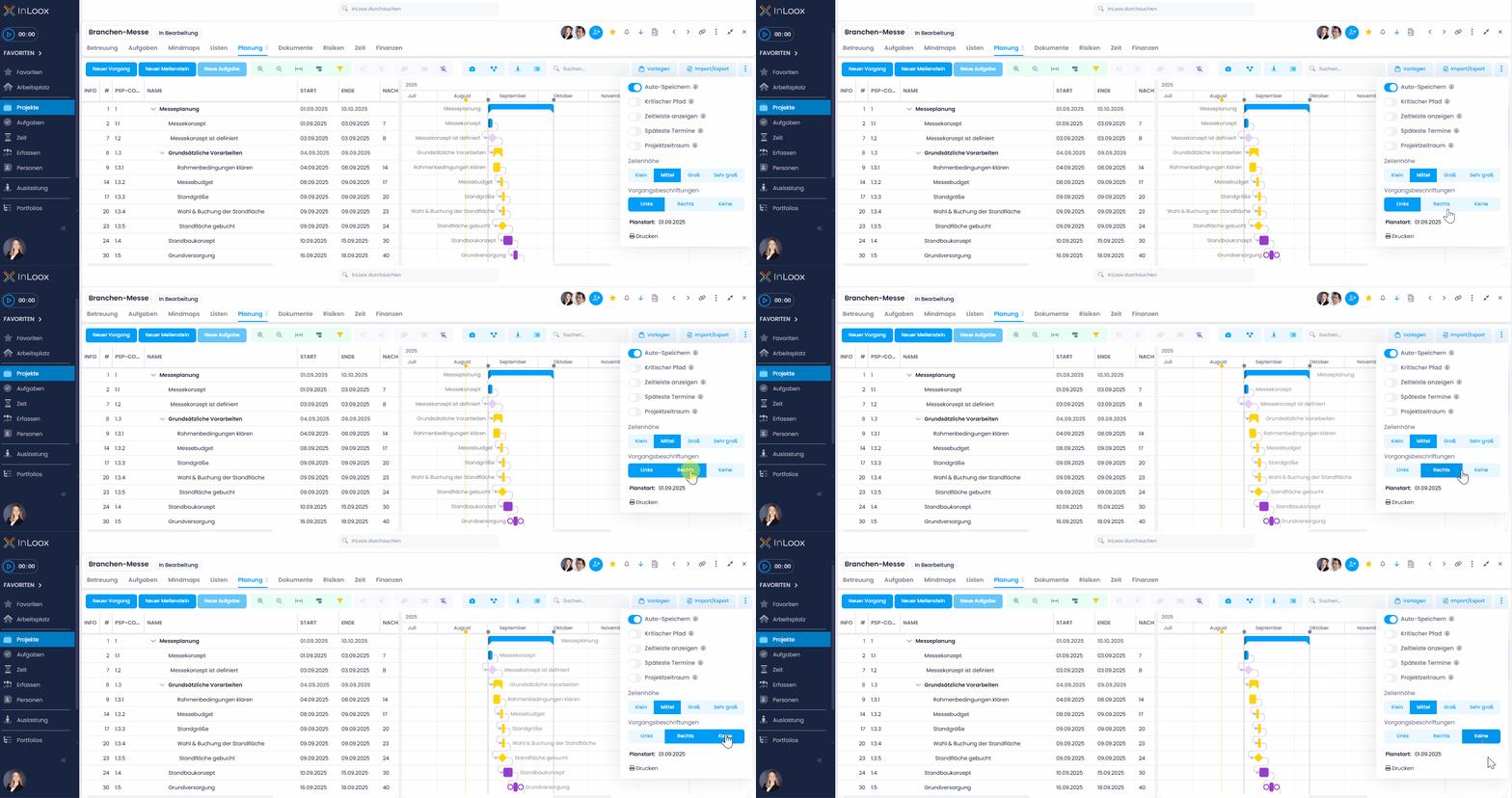
In the Gantt view, you can now flexibly decide where the labels of your planning elements should appear. Choose to display them either to the left or right of the activity bar – or hide the labels completely if you prefer a clean, minimalistic view.
Help article: Print Project Planning