Documents: Favorites and Preview Options
Mark Documents as Favorites
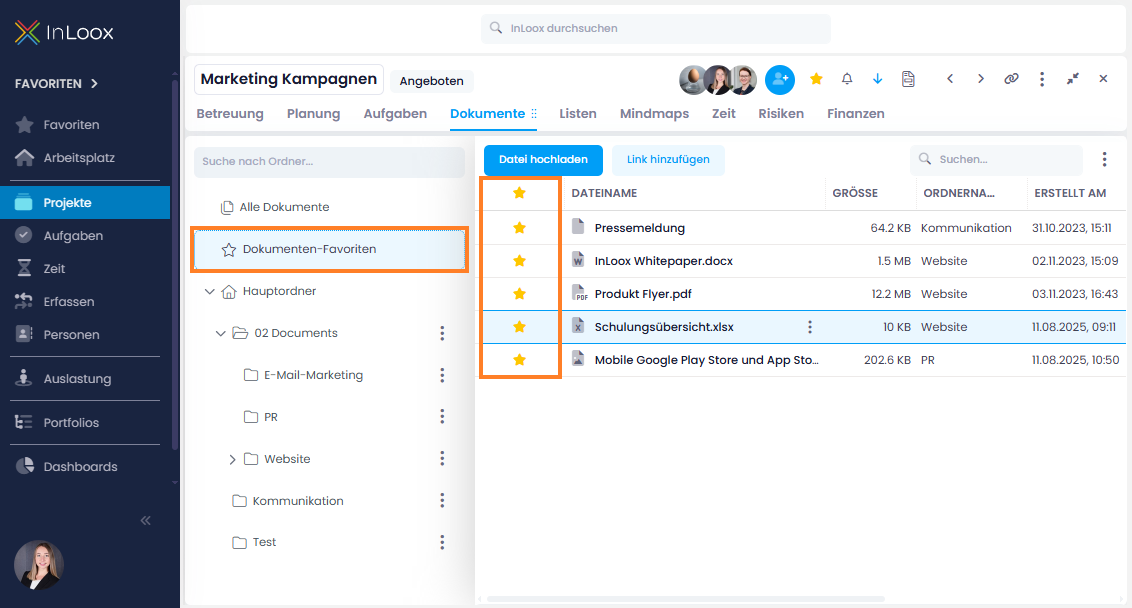
In the Documents section, you now have the new "Favorite" column. Click the star icon to mark documents you use frequently or want to find quickly.
There is also a new "Document Favorites" folder in the left-hand menu, which shows all starred documents – regardless of which subfolder they are stored in. This makes it even easier to find important files.
Additional Preview Options for Documents
For connected SharePoint Online libraries, the browser preview is now also available for more specific file formats such as MSG, ZIP, or audio files – no download required.
Help article: Upload, Edit, Comment or Delete Files