Warning for Tasks Outside the Assigned Activity
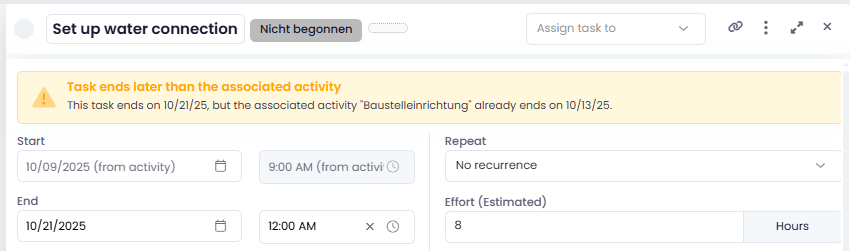
InLoox notifies you when a task falls outside the timeframe of its assigned activity, for example, if the task's end date has been manually extended and goes beyond the end of the activity. A corresponding warning appears directly within the task.
This deviation is now also visible in the Workplace and in the Kanban card: an orange warning triangle appears next to the due date, making scheduling conflicts immediately noticeable.
Help article: Add tasks to project time planning