Filters with Search Function in Simple Mode
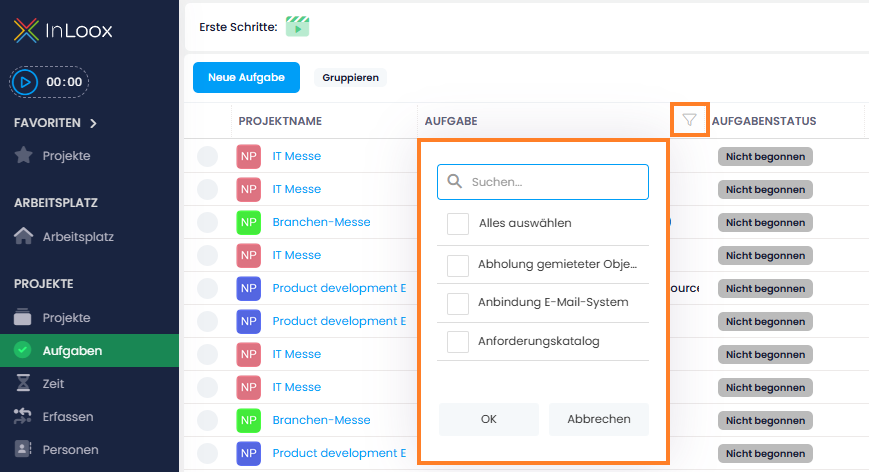
In global lists such as the global task list, the filter function has been enhanced with a search bar inside the column filters. This is especially helpful when dealing with a large number of entries: Instead of endlessly scrolling through long lists, you can now search for specific terms and select multiple values quickly and easily. This helps you get to the right results faster.
By the way: You no longer need to switch to advanced mode to use this filter. Simply hover over the column header in simple mode, and the familiar filter icon will appear.
Help article: Group, filter and sort list views