Checklists for Tasks
You can create checklists for personal and project tasks. Use them for subtasks, completion steps, or as simple reminders for details you want to check off.
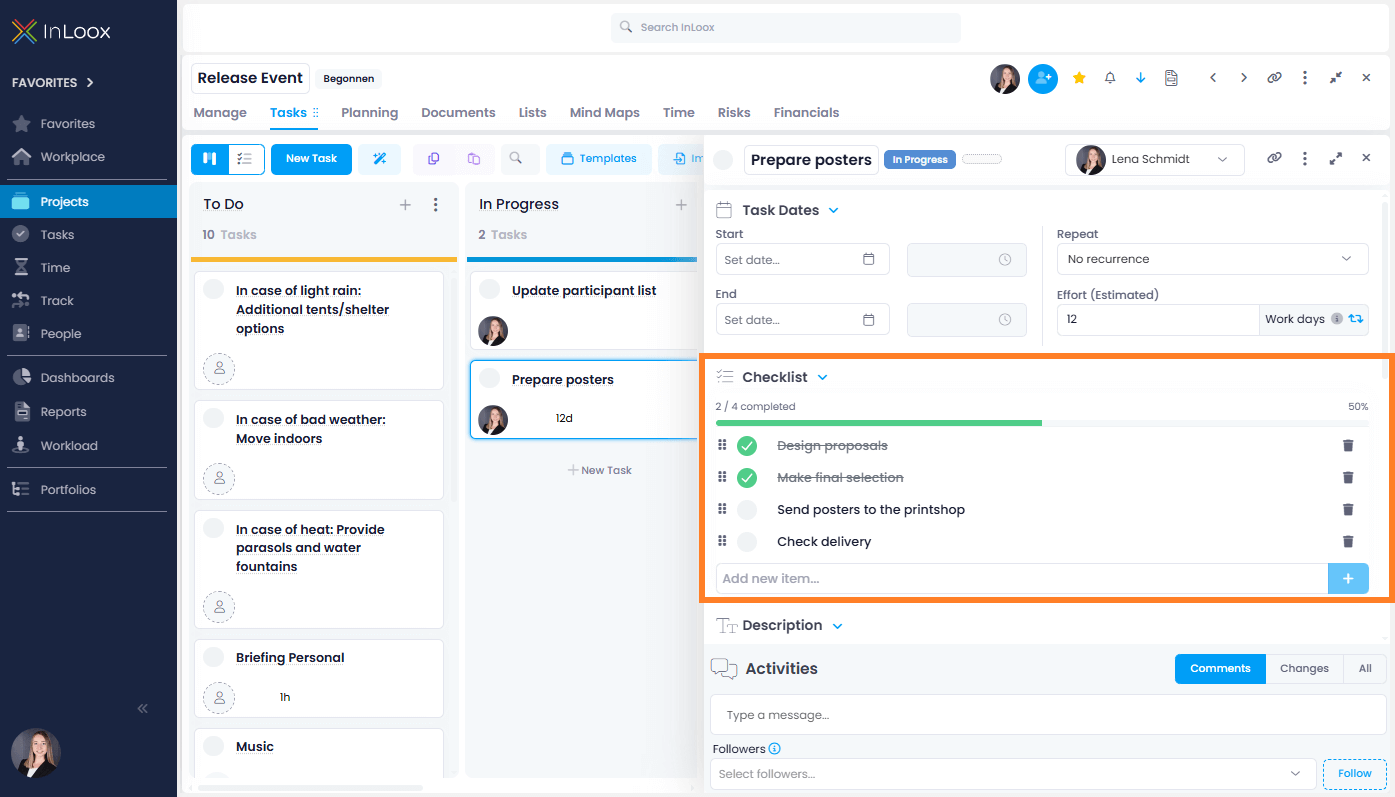
- Create a new task or open an existing one.
- Under Checklist, type the name of the checklist item:
- Press Enter or click the + button to add the item.
- Press Shift+Enter to insert a line break in the same checklist item.
- To edit an existing checklist item, click the item text and type your changes. Enter saves the change, Shift+Enter inserts a line break.
- Rearrange items by dragging them up or down.
- Tick items off to track progress as a percentage.
- Delete items by clicking (confirmation required).
Checklist Columns in Task Lists
The following checklist columns can be displayed in the project task list and multi-project task list:
- Checklist Items — Total number of checklist items
- Checklist Items Done — Number of completed items
- Checklist Items Open — Number of remaining items
Learn how to add columns in the help article on adding columns to list views.