Keep Microsoft .NET Up to Date Automatically
Configure automatic updates to ensure Microsoft .NET 10 remains current on your InLoox Self-Hosted server.
Prerequisites
InLoox Self-Hosted Server requires the Microsoft .NET 10 Hosting Bundle.
Enable Automatic Updates in Windows
- Open Settings on your server.
- Click Update & Security.
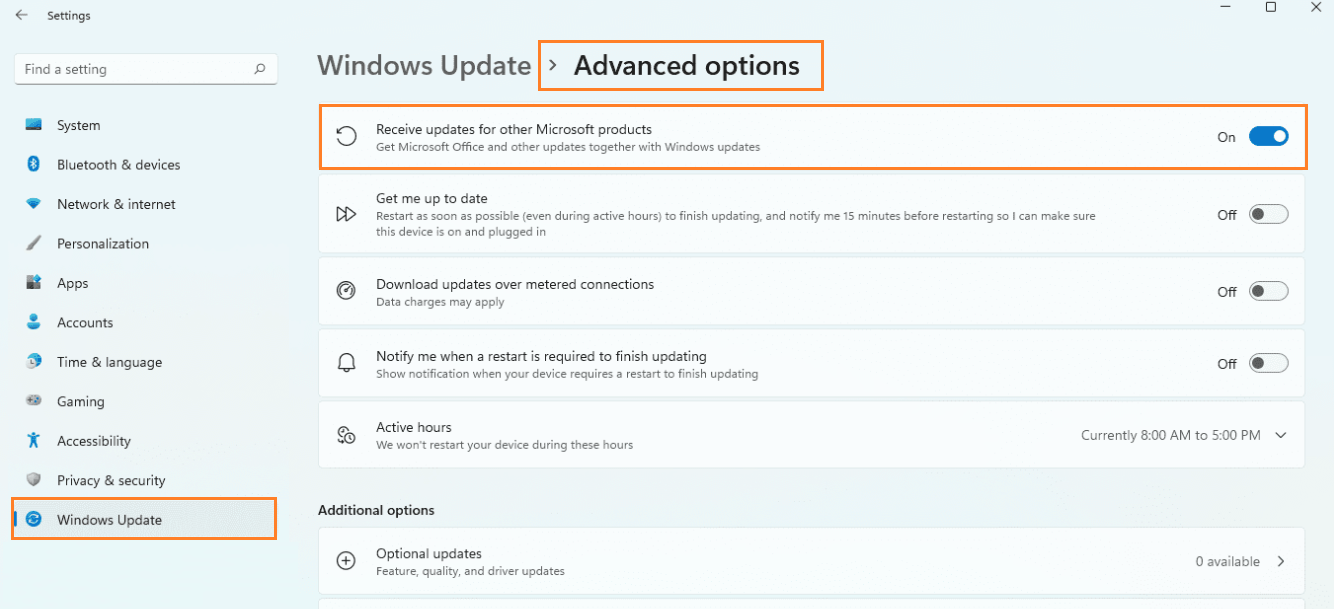
- Click Windows Update in the left panel, then click Advanced options.
- Enable the toggle for Receive updates for other Microsoft products.
note
Label names may vary slightly depending on your Windows version.
Configure Server Registry Keys
To enable automatic .NET updates on server operating systems:
- Visit the Microsoft DevBlogs article: Server Operating Systems Auto Updates
- Follow the steps in the article to add one or more of the specified registry keys to your server.
tip
The registry keys enable Windows Update to deliver .NET runtime and SDK updates automatically on Windows Server editions.
warning
Always test registry changes on a non-production server first. Create a system backup before modifying the registry.