QR Code
A QR Code (QR is the abbreviation for Quick Response) is a two-dimensional code, readable by QR scanners, mobile phones with a camera, and smartphones. QR Code can encode textual, numeric and binary data.

Add the Barcode to a Report
-
Drag the Barcode item from the report controls toolbox tab and drop it onto the report.
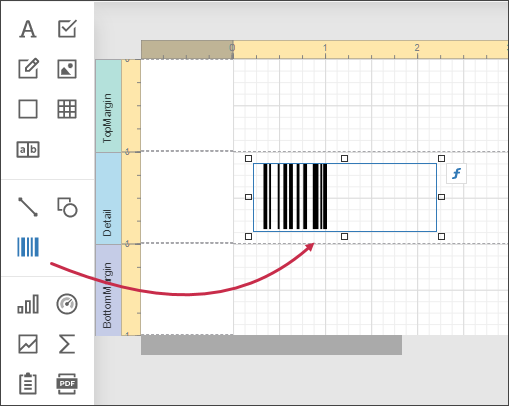
-
Set the control’s Symbology property to QRCode.
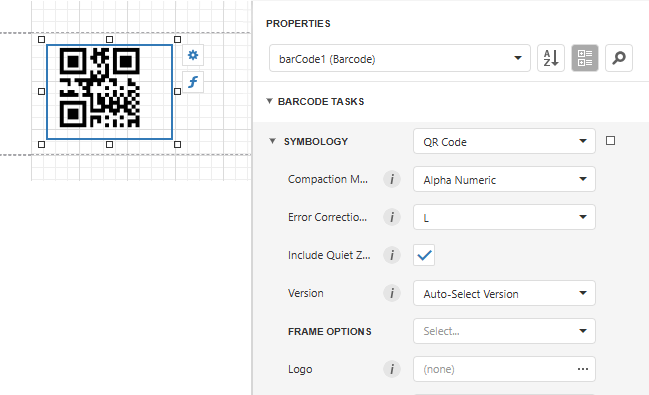
-
Specify common barcode properties and properties specific to QRCode.
Specific Properties
In the property grid, expand the Symbology list and specify the following properties specific to QRCode:
-
Compaction Mode
Specifies whether numeric, alpha-numeric or byte information should be used as the barcode's data.
-
Error Correction Level
Specifies the amount of redundancy built into the barcode's coding, to compensate for calculation errors.
-
Logo
Specifies the image that overlays the QR code.
-
Version
Specifies the barcode's size.
-
Frame Options
Gets or sets the frame for QR codes.