GS1-128 - EAN-128 (UCC)
GS1-128 (EAN-128) was developed to provide a worldwide format and standard for exchanging common data between companies.
While other barcodes simply encode data with no respect for what the data represents, GS1-128 encodes data and encodes what that data represents.

Add the Barcode to a Report
-
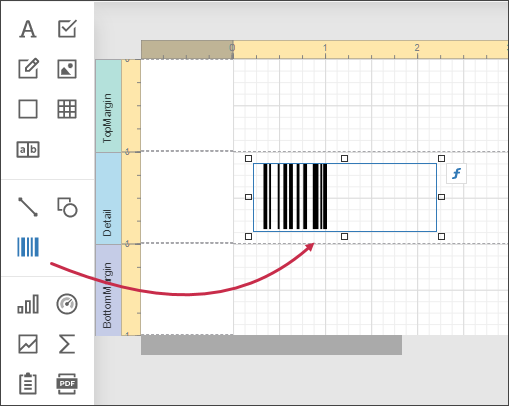
Drag the Barcode item from the report controls toolbox tab and drop it onto the report.
-
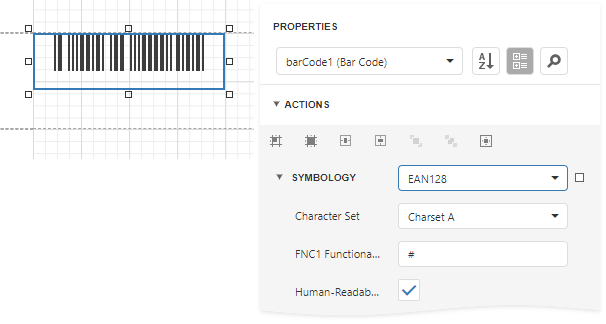
Set the control’s Symbology property to EAN128.
-
Specify common barcode properties and properties specific to EAN 128.
Specific Properties
In the property grid, expand the Symbology list and specify the following properties specific to EAN 128:
-
Character Set
Specifies the set of symbols which can be used when setting the barcode's text.
-
FNC1 Functional Character
Specifies the symbol (or set of symbols) in the barcode text that will be replaced with the FNC1 functional character when the barcode's bars are drawn.
-
Human-Readable Text
Specifies whether or not parentheses should be included in the barcode's text to improve the readability of the barcode's text.