Codabar
The Codabar is a discrete, self-checking symbology that may encode 16 different characters, plus an additional 4 start/stop characters. This symbology is used by U.S. blood banks, photo labs, and on FedEx air bills.

Add the Barcode to a Report
-
Drag the Barcode item from the report controls toolbox tab and drop it onto the report.
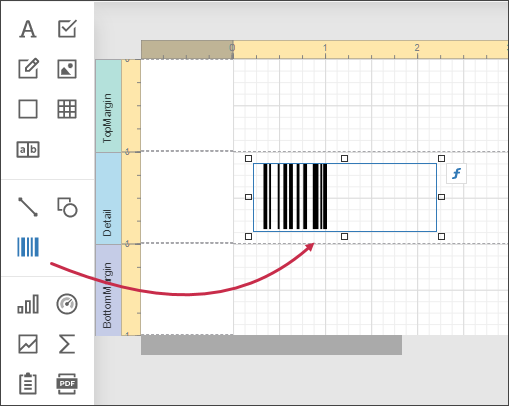
-
Set the control’s Symbology property to Codabar.
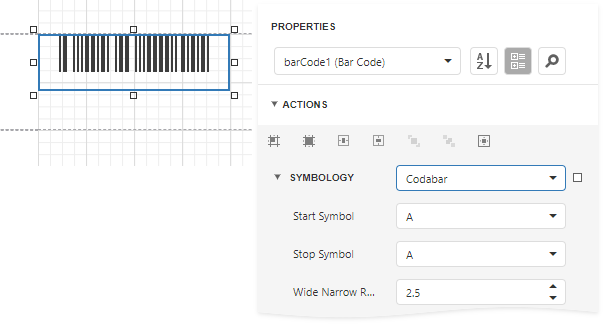
-
Specify common barcode properties and properties specific to Codebar.
Specific Properties
In the property grid, expand the Symbology list and specify the following properties specific to Codabar:
-
StartSymbol
Gets or sets the first (start) symbol used to code the barcode's structure.
-
StopSymbol
Gets or sets the last (stop) symbol used to code the barcode's structure.
-
Wide Narrow Ratio
Specifies the density of a barcode's bars.