Display Row Numbers in a Report, Group or Page
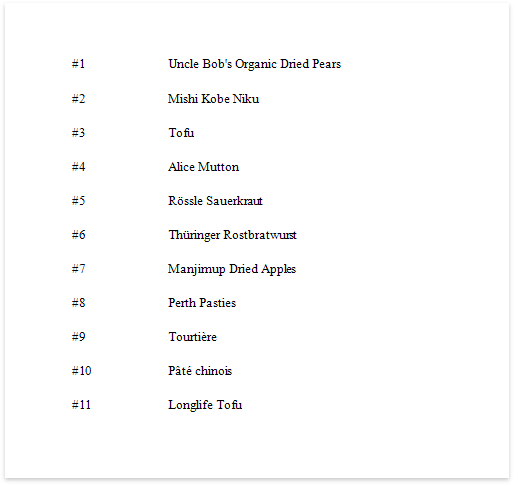
This document describes how to show the current row number for each data source value displayed in a report.
A label can display row numbers after binding your report to data and specifying a bound data field in the Label's Expression property.
-
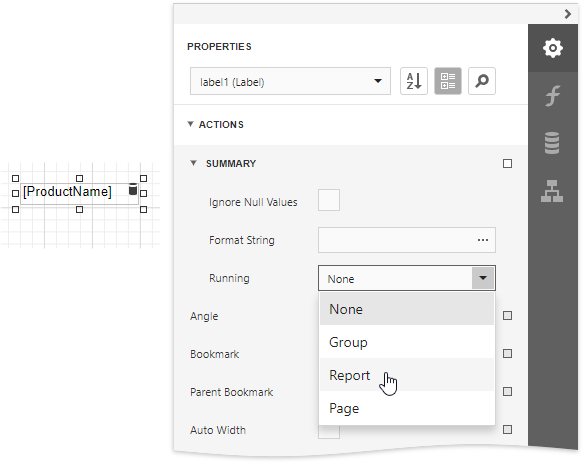
Expand the Summary section in the Label Tasks category and invoke the Running drop-down list. Select Report to increment the row numbers throughout the entire report, or select Group or Page to reset the row numbers for every group or page.
-
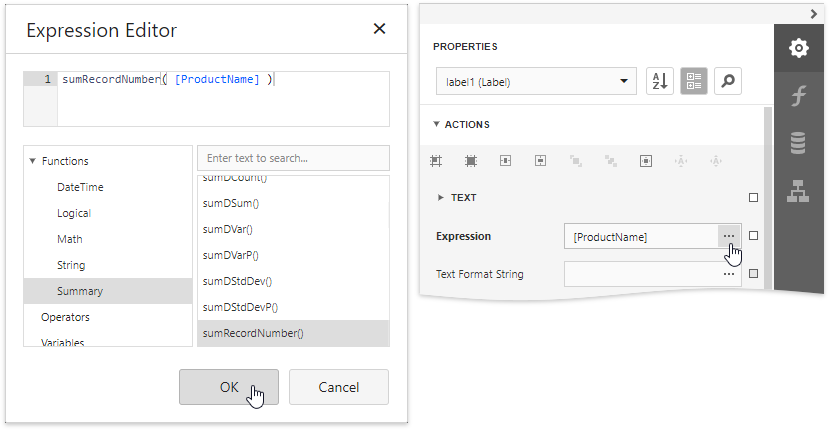
Click the ellipsis button for the Expression property. In the invoked Expression Editor, select the sumRecordNumber function in the Functions | Summary section.
-
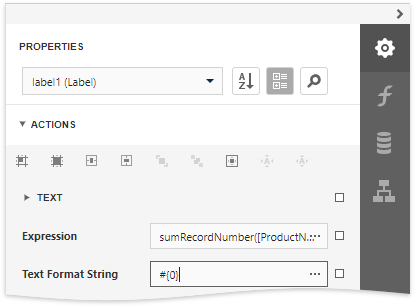
Use the Text Format String property to format the resulting value.
You can switch to Print Preview to see the record numbers displayed for the specified range.