Enable the Right-To-Left Layout
The report and most of the report controls provide the Right to Left and Right to Left Layout property.
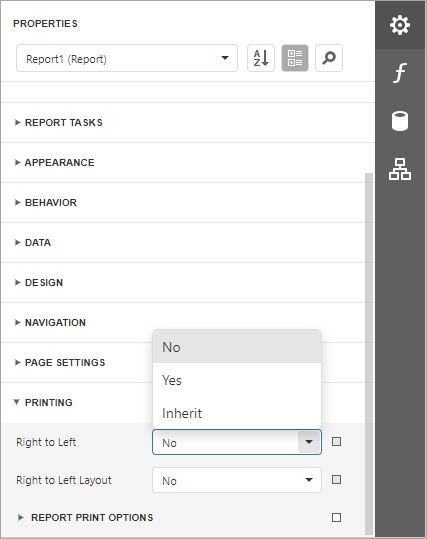
Right to Left
The property specifies content layout within a control (for most controls, this property affects the direction of their text, and for the Check Box, this property also affects the check box position within the control).
-
Disabled
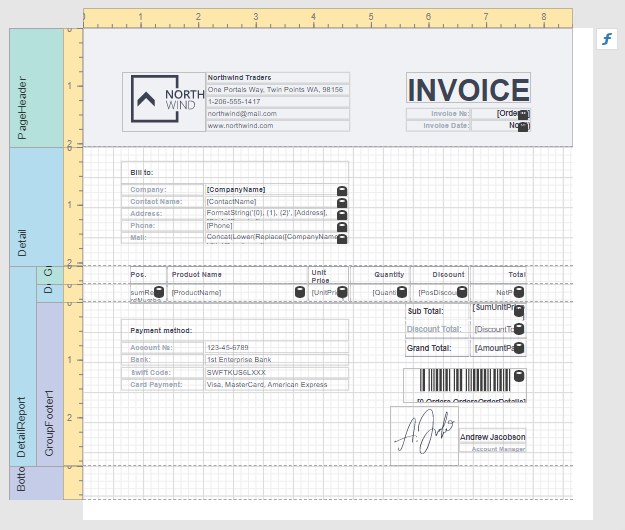
-
Enabled
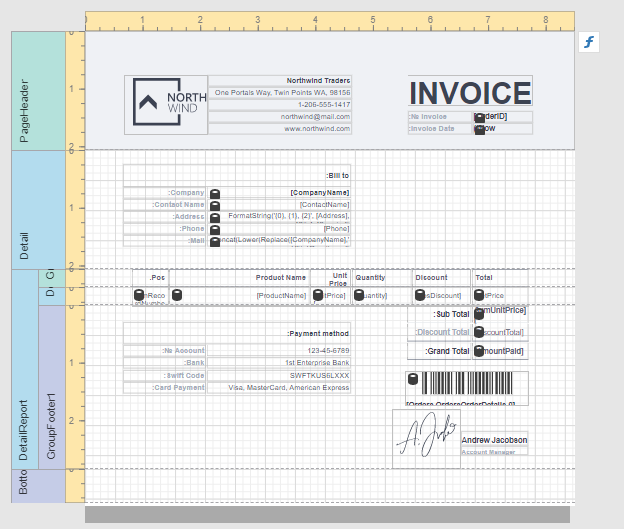
Initially all report controls have this property set to Inherit, and when you enable it for a report, the setting is enabled for all report controls.
The following controls support this feature:
For the Panel and Table controls, this option affects contained controls.
Right to Left Layout
When the Right To Left property of a report is set to Yes, you can also enable the Right To Left Layout property that specifies the position of controls within report bands. Enabling the right-to-left layout will also swap the page margins of a document (you are not allowed to place controls outside the right page margin).
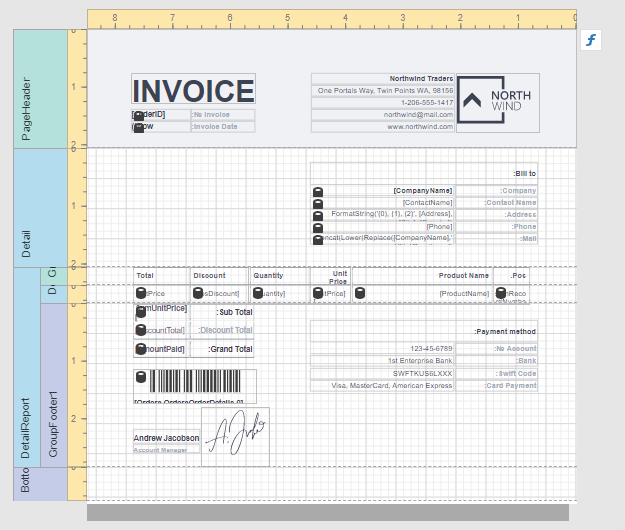
The coordinates of report controls remain unchanged, only the point and direction of reference change (the X coordinate is calculated based on the top right corner).
The right-to-left layout is preserved when exporting a report to any supported format.