Labels
Geo Point maps provide the capability to display titles within map shapes and allow you to add supplementary content to the callout/bubble/pie tooltips.
Shape Titles
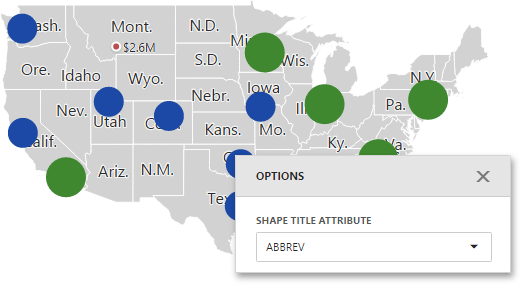
To manage map titles, use the Shape Title Attribute option of the Map's Options menu.
Here you can select the attribute whose values are displayed within corresponding map shapes.
Tooltips
Geo Point maps also allow you to add supplementary content to the callout/bubble/pie tooltips using the Tooltip Measures and Tooltip Dimensions data sections.
To add an additional information, click a placeholder contained in one of the available data sections and select the required measure/dimension in the Binding section of the invoked data item menu.
