AI Agents
InLoox AI, with AI chat, AI agents, and AI drafts, is currently available as a beta.
Agents are assistants in InLoox AI that are prepared for a recurring task. Each agent has its own instructions and its own selection of tools — for example a status report assistant, a day planner, or a meeting preparer. Instead of explaining the task again in every conversation, you start the agent and it knows what to do.
AI agents are part of AI Chat. For the required permissions, see AI Chat.
Agent overview
You find all agents in the agent overview. There you see your own agents, create new ones, and choose ready-made templates. To open the overview, click Agents at the bottom of the left column.
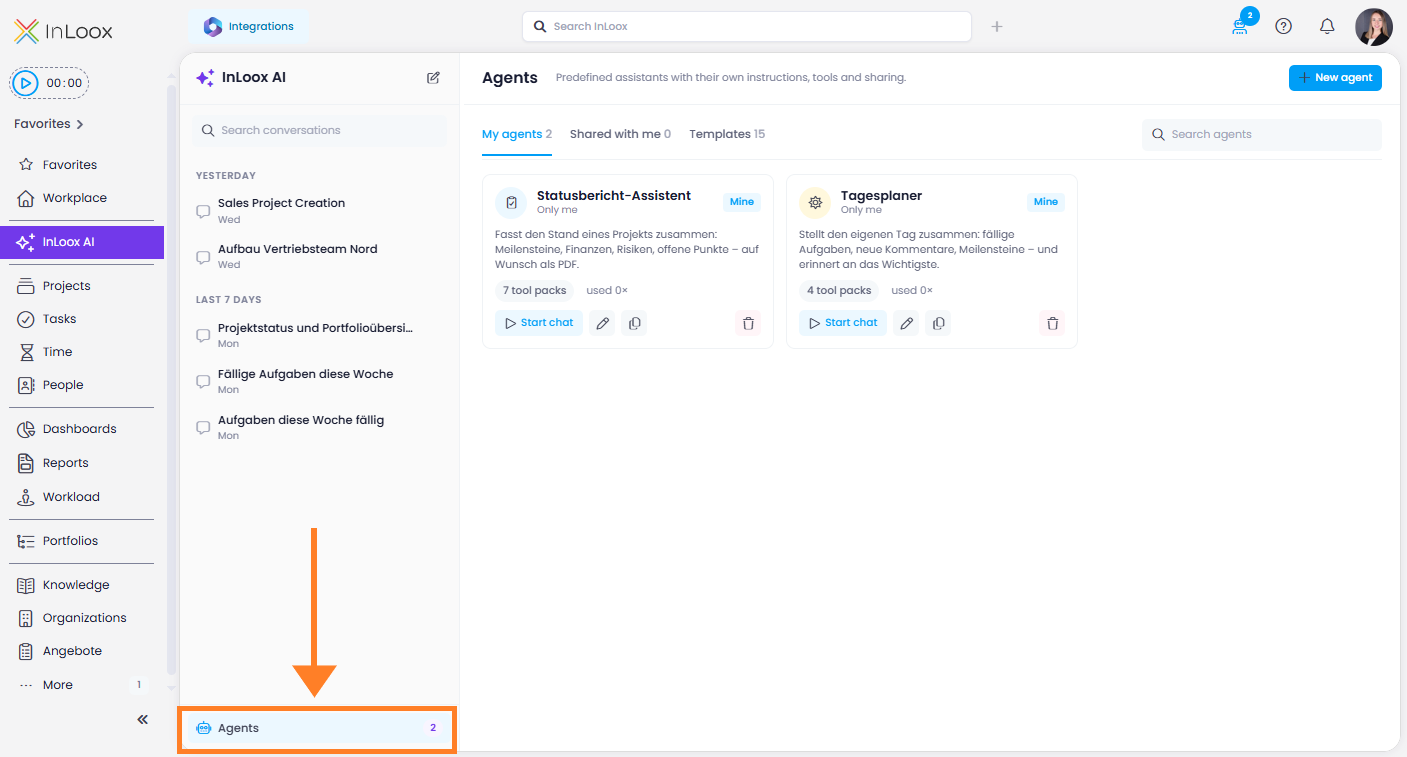
The overview has three tabs:
- My agents — the agents you created.
- Shared with me — agents that others shared with you.
- Templates — ready-made agents from InLoox, grouped by topic: Steer & report, Plan & create, Team & time, Communication & meetings, and Knowledge & quality.
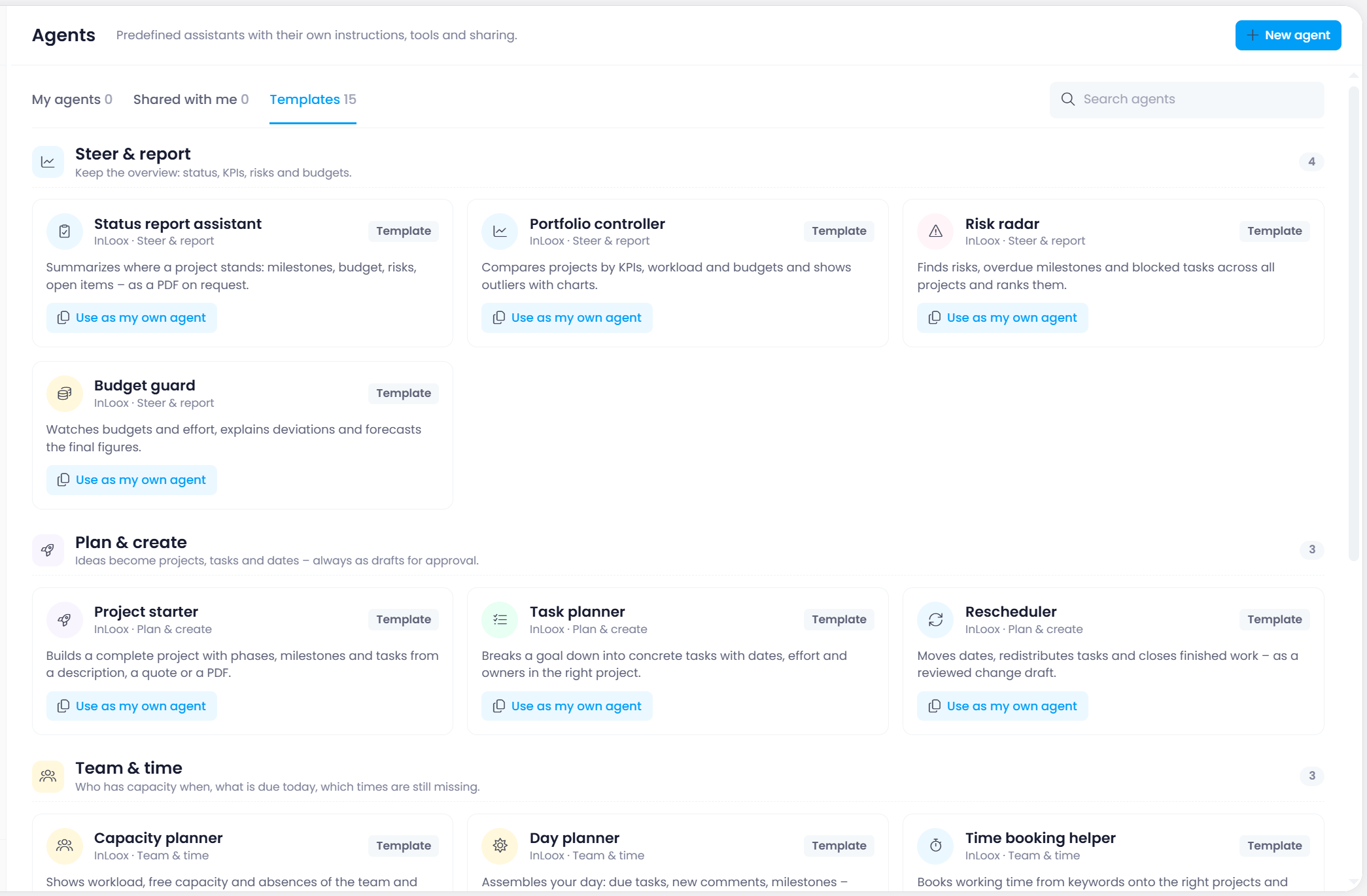
To adapt a template to your needs, click Use as my own agent on it. A copy appears under My agents, and you can change it there.
Create an agent
- In the agent overview, click New agent.
- Choose an Icon and enter a Name.
- Under Description, say in a few words what the agent is for. The description appears in the agent overview and in the
/menu. - Under Instructions, describe the agent's role, way of working, tone, and rules. The agent follows them on top of the InLoox ground rules. To reuse instructions you already wrote, click Load from file (.md, .txt).
- Optional: under Opening, describe what the agent should do as soon as a chat with it starts — the agent then speaks first.
- Under Thinking effort, keep Account default or choose a fixed level.
- Under Visibility, choose who can use the agent: Only me, Specific users, or Everyone in the account. Everyone you share an agent with can use and copy it. Only you can edit it.
- Under Tool packs and Specialists, select what the agent may work with.
- Click Save.
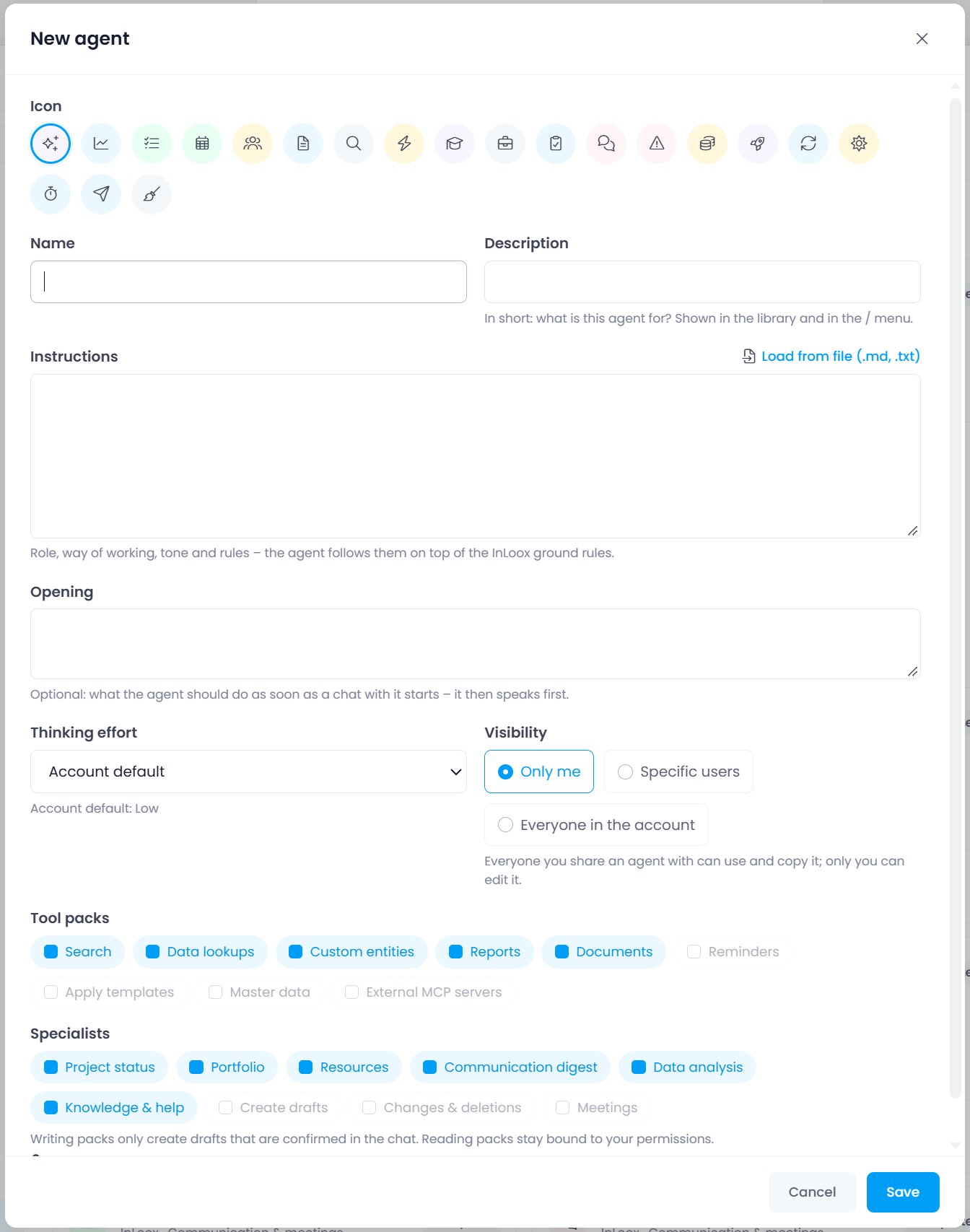
Tools that only read data are always bound to your own permissions. Tools that create or change data only produce drafts that you confirm in the chat. Your administrator decides whether custom agents may use these writing tools at all — see InLoox AI.
Start an agent
You can start an agent in three ways:
- In the agent overview, click Start chat on the agent you want.
- On the start screen of a new conversation, your agents are listed under Agents. Click one to start it.
- In the input field, click Pick an agent, or type
/to choose an agent.