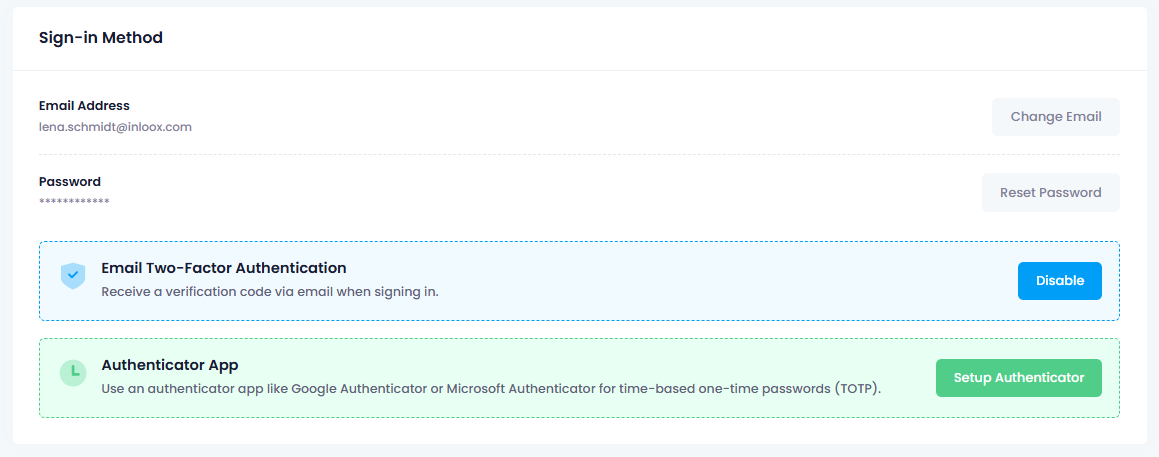
Two-Factor Authentication
Two-factor authentication (2FA), also known as multi-factor authentication (MFA), adds an extra layer of security to your InLoox login. You can choose between email-based verification or an authenticator app.
info
If your administrator has enabled mandatory two-factor authentication, you must set up 2FA before you can access InLoox. Users who log in via Microsoft 365 are automatically exempt from this requirement.
Set up two-factor authentication
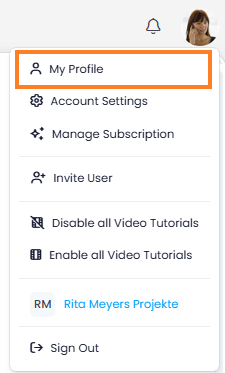
- Click on your profile picture in the upper-right corner.
- Click on My Profile.
- Switch to the Settings tab.
- Scroll down to Login Method and choose one of the following options:
- Two-factor authentication via email — Receive a verification code by email each time you log in.
- Authenticator app — Use an authenticator app such as Google Authenticator or Microsoft Authenticator for time-based one-time passwords (TOTP).