Set Currency Details
Set how many decimal places are displayed and which currency symbol is used in your InLoox account.
- In InLoox, click on your profile picture in the upper-right corner.
- Click on Account Settings.
- Click on Organization.
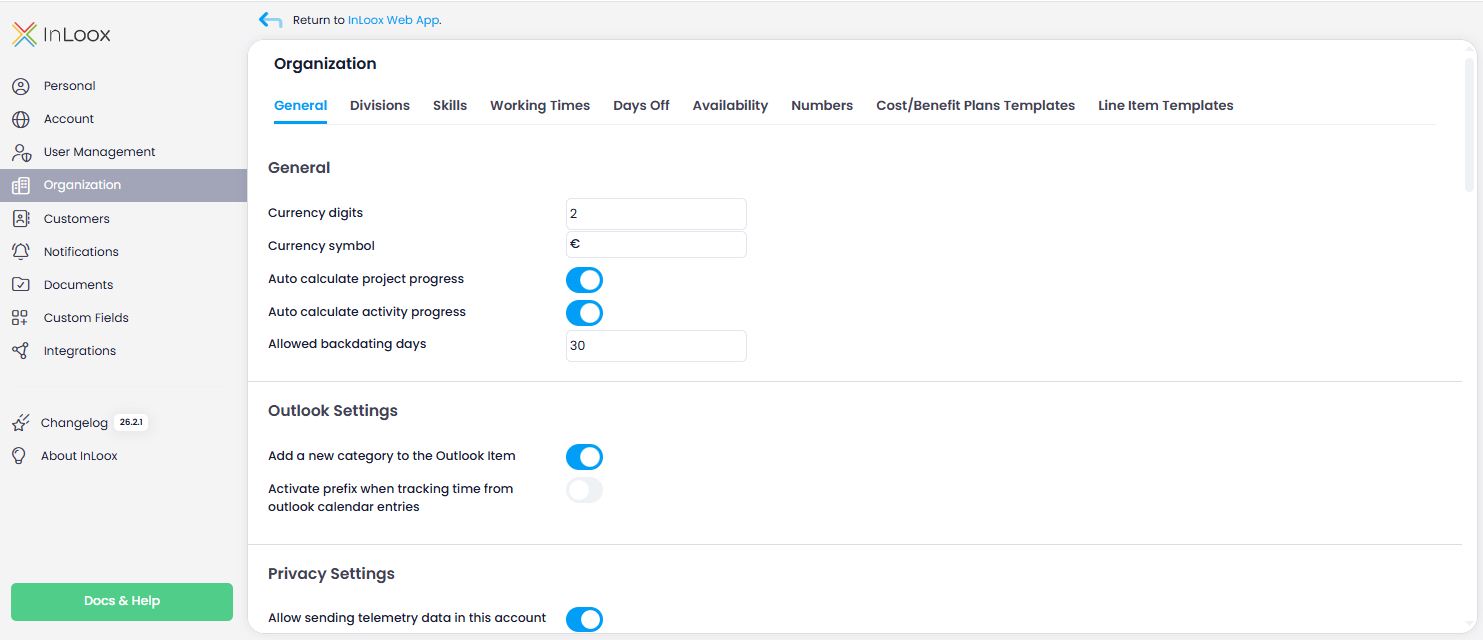
- Under the General tab, in the General section, you can change the default value of 2 in the Decimal places field.
- In the Currency Symbol field, you can change the default € symbol, for example to $.
warning
These settings apply to the entire account. All users will see the same currency symbol and decimal places.