Automatically Calculate Project and Activity Progress
Automatically calculate the project's progress
In order to automatically calculate the project progress from the planning, the automatic project progress calculation has to be activated in the InLoox settings. InLoox uses the planning elements for the calculation. The average progress over the entire planning is calculated.
- In InLoox, click on your profile picture in the upper-right corner.
- Click on Account Settings.
- Click on Organization.
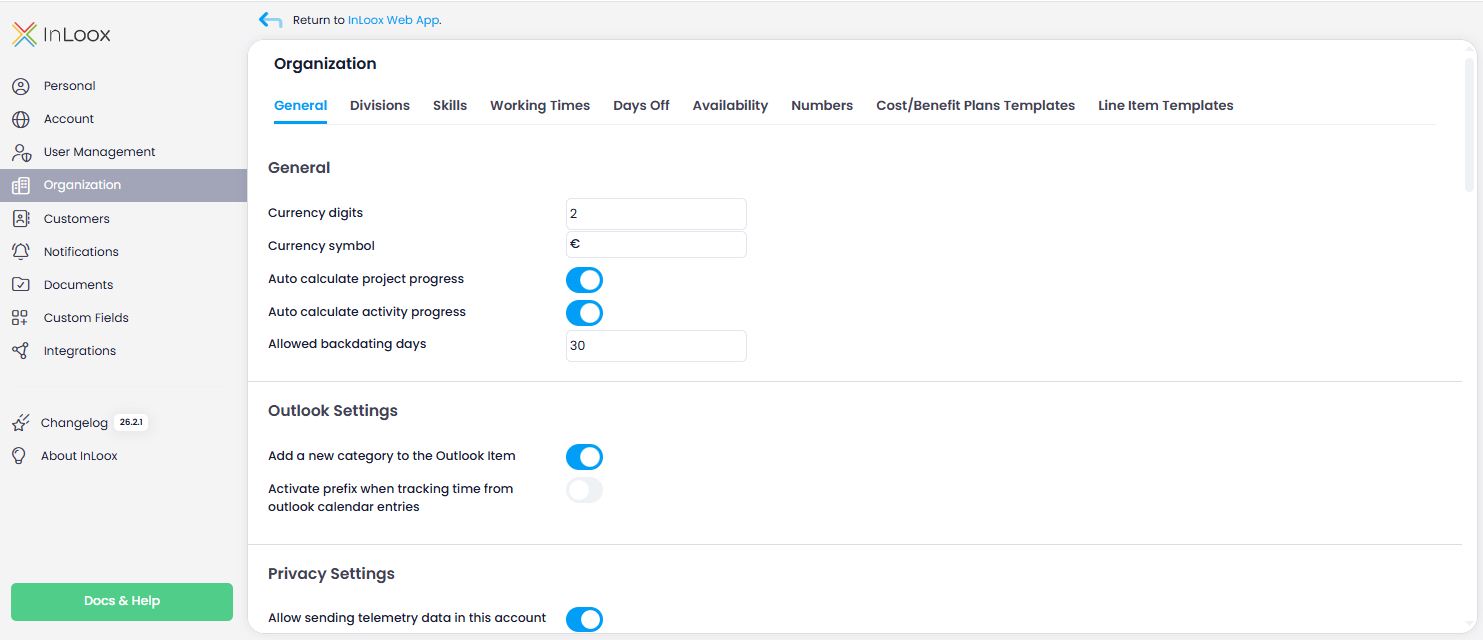
- Under the General tab, enable the toggle slider for Automatically calculate the project's progress.
Automatically calculate the activity's progress
In order to automatically calculate the activity's progress from the planning, the automatic activity progress calculation has to be activated in the InLoox settings. InLoox uses those tasks and their estimated effort that are assigned to the individual activity for the calculation. The average progress for the activity is calculated.
- In InLoox, click on your profile picture in the upper-right corner.
- Click on Account Settings.
- Click on Organization.
- Under the General tab, enable the toggle slider for Automatically calculate the activity's progress.