General
Administrators can configure a wide range of organization-wide settings in InLoox. Depending on how your organization and projects are structured, you can adjust defaults, define statuses and categories, and create templates to streamline project setup for your team.
To access these settings:
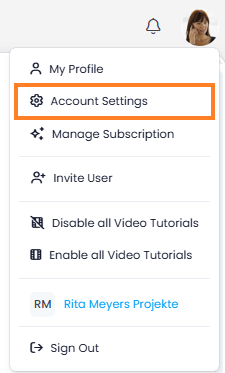
- In InLoox, click on your profile picture in the upper-right corner.
- Click on Account Settings.
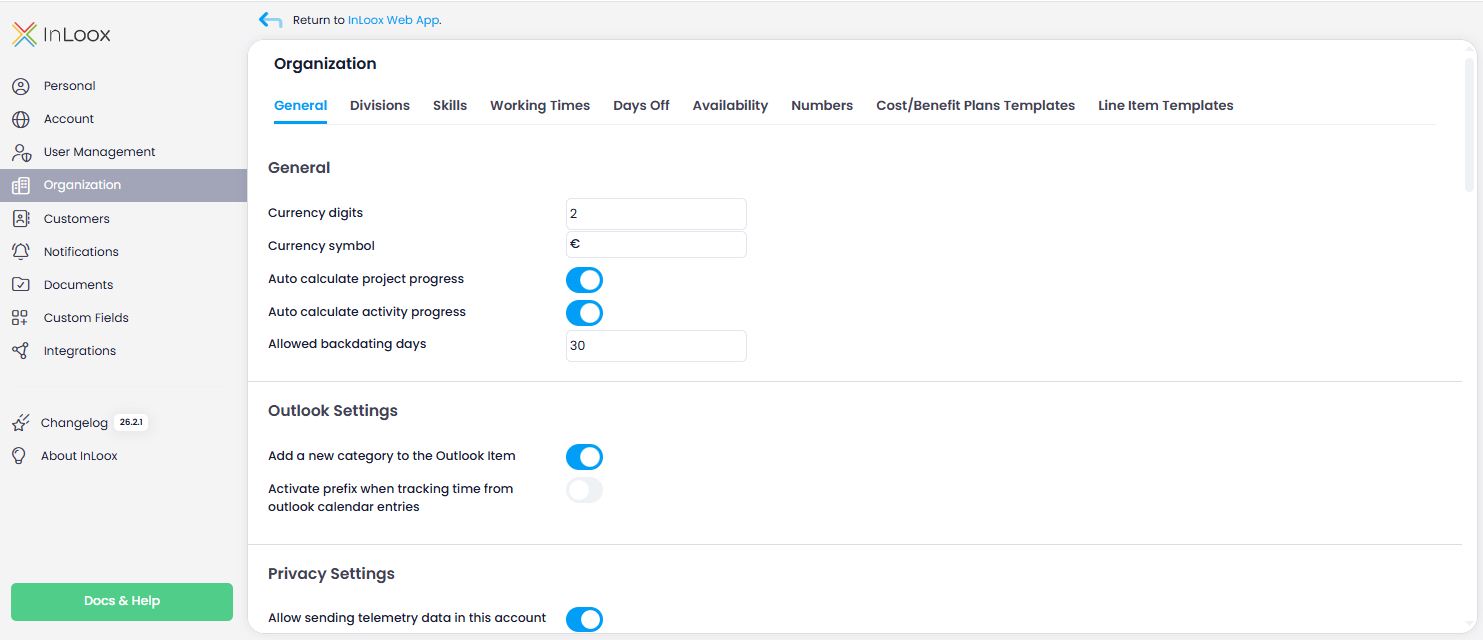
- Click on Organization.
warning
To access the InLoox settings, you need administrator rights for your InLoox account. For details, see Permissions.
Topics
- Currency Details — Set the number of decimal places and the currency symbol for your account.
- Automatic Progress Calculation — Enable automatic progress calculation based on planning elements and tasks.
- Backdating Time Entries — Set how far back users can create time tracking entries.
- Outlook Settings — Configure Outlook categories for processed emails in InLoox.
- Project Categories — Manage centrally maintained project categories for your account.
- Project Statuses — Define project statuses with progress percentages.
- Task Statuses — Configure task statuses used in the Kanban board.
- Billing Groups — Manage groups with purchase and sales prices for tasks, time entries, and budget items.
- Budget Statuses — Configure financial plan statuses and define value-neutral budgets.
- Working Hours and Calendars — Configure working hours, calendars, holidays, and individual availability.