Default Time Zone
Administrators can define a default time zone for the InLoox account. The default setting is Account Standard (Central European Standard Time). This time zone applies to all users who have not selected a personal time zone.
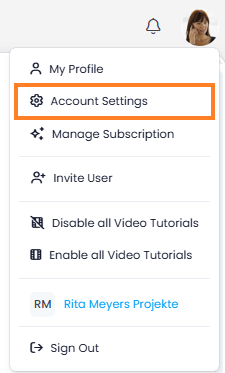
- In InLoox, click on your profile picture in the upper-right corner.
- Click on Account Settings.
- In the left menu, click on Account.
- Under Default time zone, select the time zone that should be set by default for all users.