Default Regional Format
Administrators can define a default regional format for the InLoox account. This setting controls how date, time, numbers, and currency values are formatted for users who have not selected a personal regional format.
Available default regional formats:
InLoox shows every entry in its own language, regardless of the interface language:
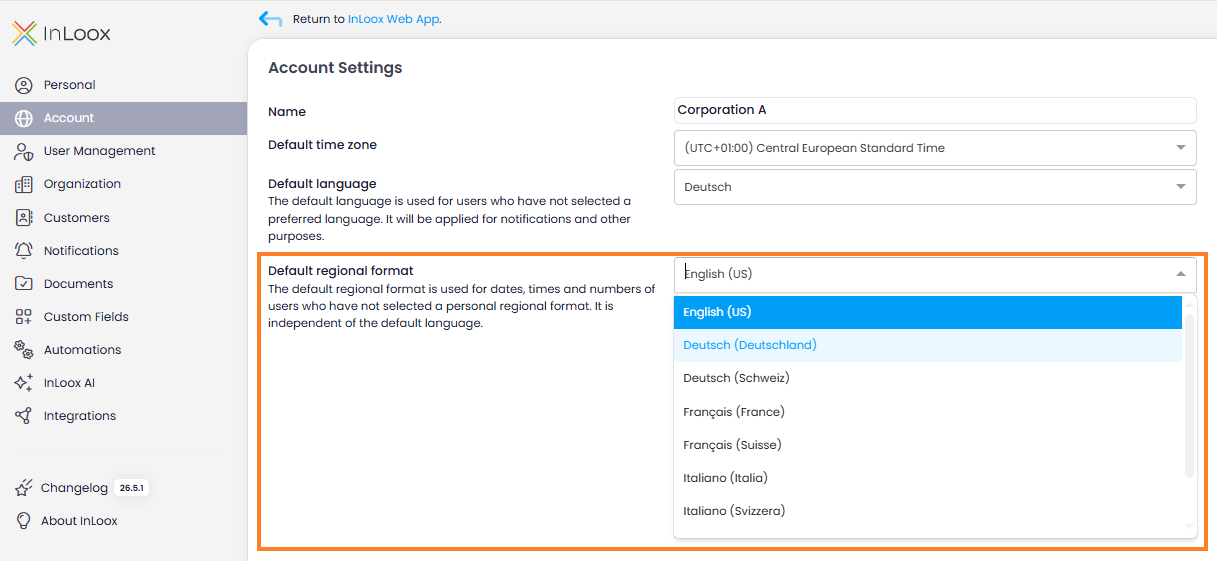
- English (US) — en-US
- Deutsch (Deutschland) — de-DE
- Deutsch (Schweiz) — de-CH
- Français (France) — fr-FR
- Français (Suisse) — fr-CH
- Italiano (Italia) — it-IT
- Italiano (Svizzera) — it-CH
- Español (España) — es-ES
- Polski (Polska) — pl-PL
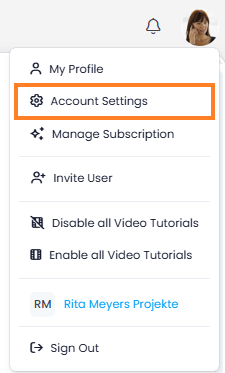
- In InLoox, click on your profile picture in the upper-right corner.
- Click on Account Settings.
- In the left menu, click on Account.
- Under Default regional format, select the format that should be set by default for all users.
tip
The interface language is configured separately. The language defines UI texts and localized labels, while the default regional format defines date, time, number, and currency formatting. Users can still override this default in their Regional Format setting.