Connect Microsoft 365 Account
You can connect your Microsoft 365 account to InLoox. Once connected, you can log in to InLoox directly with your Microsoft 365 credentials instead of using email and password.
info
If your administrator has enabled mandatory Microsoft 365 login, you must connect your Microsoft 365 account before you can access InLoox.
How to connect your Microsoft 365 account
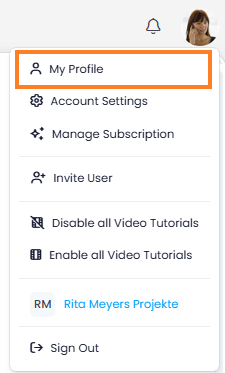
- In InLoox, click on your profile picture in the upper-right corner.
- Click on My Profile.
- Switch to the Settings tab.
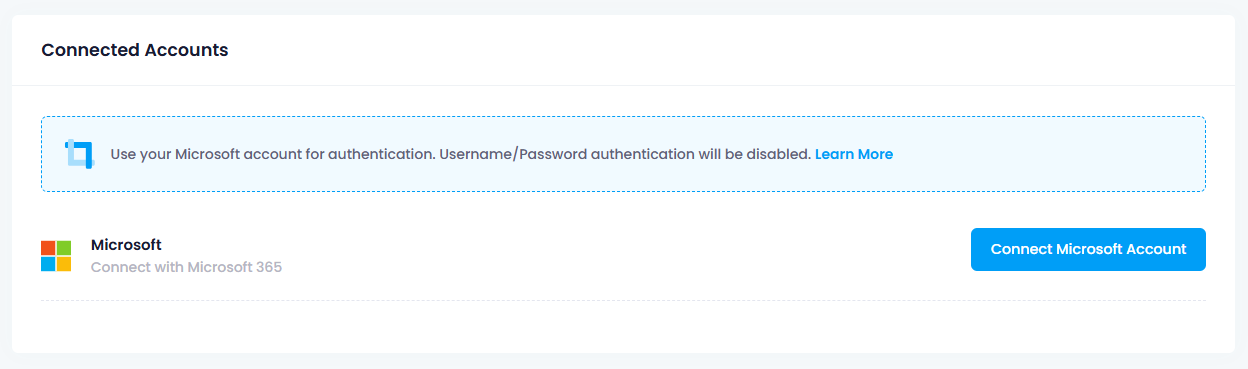
- Under Connected Accounts, click Connect Microsoft Account and follow the prompts to sign in with your Microsoft 365 credentials.
Alternative: Connect via Integration Center
- In InLoox, click Integrations. The Integration Center opens.
- Click Connect with Microsoft 365.

- Select your Microsoft 365 account to sign in. You may be asked to enter your Microsoft password.
Once connected, you can also manage your Microsoft 365 integrations (Outlook, Teams, SharePoint, OneDrive) in the Integration Center.